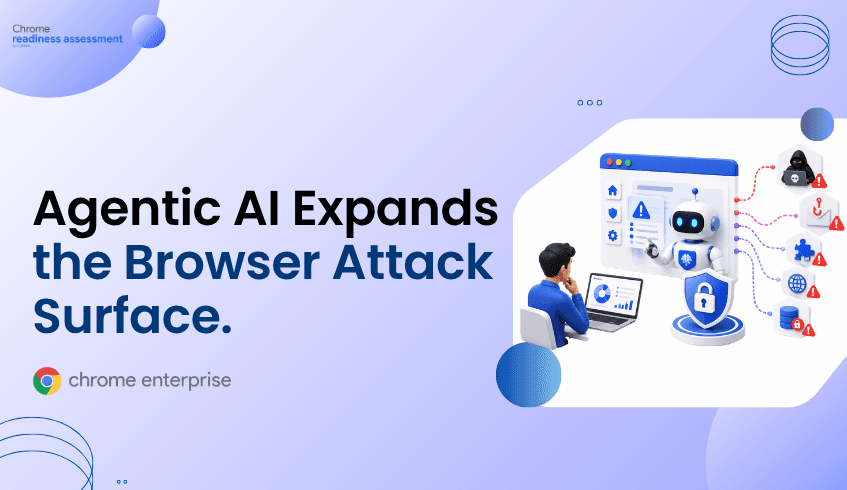
Agentic AI Expands the Browser Attack Surface. Can You See the Risk?
Google I/O 2026 made one thing clear: AI is moving from passive assistance to agentic workflows that can take action across enterprise tools, web apps, and data sources. That shift makes the browser a more important security boundary because many agentic workflows interact with enterprise systems through authenticated browser sessions. Browser Insights helps security teams understand browser, extension, session, and domain risk across the fleet. Chrome Enterprise Premium provides browser-level security controls, while CEP Accelerator helps teams prioritize which risks to address first.
Why does agentic AI change browser security?
Agentic AI changes browser security because AI systems are increasingly able to browse, read, summarize, create, and act across enterprise workflows.
At Google I/O 2026, Google Cloud highlighted new AI innovations for the “Agentic Enterprise,” including Gemini Enterprise, Agent Platform, Workspace AI features, Antigravity, Managed Agents API, Gemini Spark, and CodeMender. These capabilities reflect a larger shift: AI is becoming more action-oriented, more connected to business systems, and more embedded in daily work.
That matters for security teams because the browser is often where this work happens.
Employees use browsers to access Workspace, SaaS platforms, cloud consoles, developer tools, customer systems, internal dashboards, and AI applications. Once users authenticate, the browser becomes the place where session context, sensitive data access, extensions, and web content intersect.
The risk is not that agentic AI is inherently unsafe. The risk is that agentic AI increases the importance of browser posture. If a device is running an outdated browser, has unverified extensions installed, or regularly accesses risky domains, AI-driven workflows may operate inside an already exposed environment.
How can AI agents expand the browser attack surface?
AI agents can expand the browser attack surface by increasing the amount of automated activity that takes place inside authenticated web sessions.
Traditional browser activity is usually human-driven. A user clicks a link, opens a document, signs in to an app, downloads a file, or copies data between systems. Agentic workflows can compress many of those actions into a single automated task. An agent may read a document, search the web, interact with a SaaS app, summarize results, draft content, or prepare an update across connected tools.
That creates new questions for IT and security teams:
Is the browser version current?
Are risky extensions installed?
Are users accessing unsecured or restricted domains?
Which devices may be exposed to session theft risk?
Which browser environments are ready for AI-enabled workflows, and which are not?
Without browser-level visibility, these questions are difficult to answer. Security teams may know which identity provider is in use. They may know which endpoints are managed. They may even know which SaaS apps are approved. But they may still lack a clear view of the browser conditions where AI-assisted work is happening.
That is the visibility gap agentic AI makes harder to ignore.
Why do traditional controls fall short?
Traditional controls can fall short because they often focus on login events, endpoint status, or network traffic rather than browser-specific risk.
Identity tools can confirm that a user authenticated successfully. Endpoint tools can report device health. Network tools can inspect traffic patterns. But browser risk often depends on more specific details:
An outdated browser may increase session theft exposure.
An unverified extension may introduce risk into the browsing environment.
A non-HTTPS or restricted domain may create unsafe browsing conditions.
A device may appear managed but still contain browser-level issues that matter for enterprise security.
This becomes more important in agentic workflows because agents may act inside the same browser context as the user. If browser posture is weak, agentic activity may inherit that weakness.
Security teams need a way to see browser-level risk before they scale AI-enabled workflows across the enterprise.
How does Chrome Enterprise Premium help secure browser activity?
Chrome Enterprise Premium helps organizations apply advanced security directly within the browser, where web-based work happens.
Google describes Chrome Enterprise Premium as a secure enterprise browsing solution that builds on Chrome’s foundation with centralized management, threat and data protection, and Zero Trust access controls for web applications.
For agentic AI, this matters because the browser is not just a productivity tool. It is a security control point.
Chrome Enterprise Premium can help enterprises strengthen protection around phishing and malware, data movement, access to web applications, and browser-based policy enforcement. Google’s documentation also describes data protection rules for Chrome Enterprise Premium that can help monitor and control sensitive data actions in Chrome across supported desktop and ChromeOS environments.
That makes CEP relevant to AI-era security planning. As AI workflows become more connected to enterprise data and applications, organizations need stronger controls at the point of browsing.
How does Browser Insights help teams see agentic AI risk?
Browser Insights helps security teams understand browser-level exposure across the enterprise fleet.
It gives teams visibility into browser and extension details across devices, including browser name, browser version, and installed extensions. It also supports visibility across multiple browsers, including Chrome, Edge, Firefox, Vivaldi, Brave, and Opera.
For agentic AI readiness, the most important signals include:
Session theft vulnerability based on browser version.
Unverified extensions.
Suspicious, restricted, or unsecured domain access.
Device-level security status.
Device-level drill-down for investigation.
This makes Browser Insights valuable because it helps teams identify the conditions that could increase risk before agentic workflows are widely adopted.
For example, a security team preparing for broader AI usage may want to know which devices are running outdated browsers, which users have unverified extensions installed, and which machines are accessing restricted or non-HTTPS domains. Browser Insights gives teams a way to surface those issues at both organization and device levels.
It does not need to detect an active AI attack to be useful. Its value is in showing where browser posture may already be weak.
Where does CEP Accelerator fit?
CEP Accelerator helps teams move from browser visibility to prioritization.
Inside Browser Insights, CEP Accelerator acts as a planning and visibility layer. It helps connect observed browser risks to relevant Chrome Enterprise Premium capabilities so teams can better understand where CEP can reduce exposure.
This distinction is important. CEP Accelerator is not an enforcement tool. It does not automatically deploy Chrome Enterprise Premium, detect attacks in real time, or remediate incidents. Its role is to help security and IT teams interpret browser risk and prioritize action.
For agentic AI risk, this is especially useful. A team may see hundreds or thousands of browser findings across versions, extensions, and domains. CEP Accelerator can help bring structure to those findings by showing which risks are most relevant to CEP adoption and where browser-level security improvements may matter most.
What should enterprises do before scaling agentic AI?
Enterprises should evaluate browser readiness before scaling agentic AI across users, apps, and business workflows.
That does not mean slowing AI adoption. It means making AI adoption safer by understanding the browser environment first.
A practical readiness model starts with visibility. Security teams should know which browsers are in use, which versions are outdated, which extensions are installed, and which devices are accessing risky domains. From there, they can prioritize browser security improvements and align them with broader Chrome Enterprise Premium planning.
This approach creates a cleaner path:
Browser Insights identifies browser-level risk.
Chrome Enterprise Premium provides browser-level security controls.
CEP Accelerator helps prioritize where those controls are most relevant.
Together, they help enterprises treat browser readiness as part of AI readiness.
FAQ
What is agentic AI browser security?
Agentic AI browser security focuses on protecting the browser environments where AI agents and AI-assisted workflows interact with web apps, SaaS platforms, enterprise data, and user sessions.
Does Browser Insights detect AI agent attacks?
No. Browser Insights should be understood as a visibility layer for browser risk, not an active attack detection tool. It helps teams identify exposure conditions such as outdated browsers, unverified extensions, and risky domain access.
Why are browser extensions important for AI readiness?
Browser extensions matter because they can affect what happens inside the browsing environment. Unverified or risky extensions may increase exposure when users or AI workflows interact with enterprise apps and web content.
How does Chrome Enterprise Premium support agentic AI security?
Chrome Enterprise Premium helps by applying advanced security controls directly within the browser, including centralized management, threat and data protection, and Zero Trust access controls for web applications.
What does CEP Accelerator do?
CEP Accelerator helps map browser risks surfaced through Browser Insights to relevant Chrome Enterprise Premium capabilities. It supports planning and prioritization, not direct enforcement or real-time threat detection.
Closing CTA
Agentic AI is moving quickly into enterprise work. Before those workflows scale across users, apps, and data, security teams need to understand whether the browser fleet is ready.
Start with Browser Insights to identify browser, extension, session, and domain risk across your environment. Then use CEP Accelerator to prioritize where Chrome Enterprise Premium can help strengthen browser security for the agentic AI era.