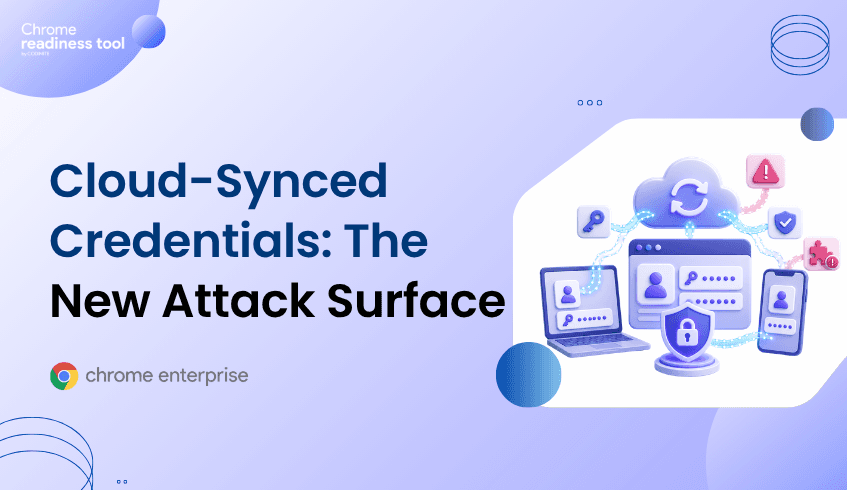
Cloud-Synced Credentials: The New Attack Surface Nobody’s Talking About
Cloud-synced credentials make work easier, but they also change the enterprise browser attack surface. Passwords, passkeys, session state, and browser data can follow users across devices, which means security teams need to understand not only who authenticated, but where browser access is happening and whether the device is trusted. Chrome Enterprise Premium helps apply browser-level security and context-aware access controls, while Browser Insights and CEP Accelerator help teams identify and prioritize browser risks across the fleet.
Why are cloud-synced credentials an enterprise risk?
Cloud-synced credentials become risky when they extend access beyond the devices and browser environments security teams can see.
Credential sync is designed for convenience. Users expect passwords, passkeys, bookmarks, and browser state to be available wherever they work. In a managed environment, this can improve productivity. In a poorly governed environment, it can create exposure.
The issue is not that sync is inherently unsafe. The issue is that synced credentials expand the number of places where access may be attempted, resumed, or abused.
A compromised browser profile, risky extension, outdated browser, or unmanaged device can become part of the credential attack surface. Attackers do not always need to steal a password directly. They may target session tokens, browser-held credentials, or the conditions that allow a trusted session to continue.
How do cloud-synced credentials change the browser threat model?
They make the browser profile part of the identity perimeter.
Historically, security teams focused on passwords, MFA prompts, and login events. Today, access is more continuous. A user signs in once, the browser maintains session state, and credentials or passkeys may be available across devices depending on the user and platform configuration.
Passkeys are a major security improvement because they are phishing-resistant and bound to the website or app that created them. Google also notes that passkeys can be synchronized across devices that are part of the same ecosystem.
That creates a more secure authentication model, but it does not remove the need for browser governance. If a synced credential enables access from a device with poor posture, risky extensions, or an outdated browser, the enterprise still has a browser-layer risk to manage.
The question is no longer only, “Was the login legitimate?”
The better question is, “Is this browser session happening in the right context, on the right device, with the right controls?”
Where does the risk come from?
Cloud-synced credential risk usually appears through ordinary browser conditions.
Common exposure points include:
Outdated browsers that may not include current session protection.
Unverified extensions that can increase exposure inside the browser environment.
Restricted, suspicious, or non-HTTPS domains accessed from enterprise devices.
Multiple browsers across the fleet with inconsistent security posture.
Devices where security teams lack clear browser-level visibility.
Long-lived sessions that continue after the original authentication event.
These risks are easy to underestimate because they do not always look like a traditional breach. A user may simply open a browser, access a synced account, and continue working. But if that browser environment is unsafe, the synced credential becomes part of the attack path.
Why traditional identity controls fall short
Identity controls are essential, but they do not always see the full browser context.
MFA and passkeys help ensure that users authenticate securely. But after authentication, the browser becomes the workspace. It stores session state, interacts with SaaS apps, renders external content, and allows extensions to run inside the user’s workflow.
An identity provider may know that a user authenticated. It may not always know whether the browser version is current, whether the device has unverified extensions, or whether the session is interacting with unsafe domains.
That is the browser-layer gap attackers look for.
Cloud-synced credentials make that gap more important because access can move across devices and sessions. The stronger the identity layer becomes, the more attackers shift toward stealing or abusing the session after authentication.
Chrome Enterprise Premium: protecting access with browser and device context
Chrome Enterprise Premium helps organizations secure access at the browser layer, where cloud-synced credential risk often appears.
Google describes Chrome Enterprise Premium as a secure enterprise browsing solution that provides advanced security directly within the browser, including centralized management, threat and data protection, and Zero Trust access controls. CEP can support context-aware access decisions that use identity and request context, including device-related attributes.
This matters for cloud-synced credentials because the right access decision should include more than the user account. It should consider whether the request is coming from a trusted device, whether security posture is acceptable, and whether browser-level controls are in place.
Endpoint Verification strengthens this model by collecting device attributes that can be used for access control decisions. These attributes can include device identity, OS information, Chrome browser attributes, and configurable device attributes.
With CEP, organizations can better align credential use with trusted browser and device conditions.
From Browser Insights: finding credential exposure across the fleet
Browser Insights, the Chrome Readiness Tool, helps security teams identify browser conditions that increase cloud-synced credential risk.
The tool surfaces browser and extension details across Chrome, Edge, Firefox, Vivaldi, Brave, and Opera. This includes browser name, browser version, and installed extensions.
For credential and session risk, the most relevant signal is session theft vulnerability based on browser version. Outdated browsers are flagged as not protected, while current versions are confirmed as protected.
Browser Insights also surfaces unverified extensions and accessed domains, including restricted or non-HTTPS domains. These signals help security teams understand where the browser environment may be increasing the risk of credential or session abuse.
Device-level drill-down makes the visibility practical. Instead of seeing browser risk only at a high level, security teams can identify specific machines where outdated browsers, unverified extensions, or risky domain access appear.
A device is considered secure when it has no unverified extensions and no access to restricted or non-HTTPS domains.
Where CEP Accelerator adds value
CEP Accelerator helps translate browser visibility into a prioritized Chrome Enterprise Premium deployment plan.
It does not enforce policies, detect attacks, or remediate devices directly. It acts as a planning and visibility layer inside Browser Insights, mapping observed risks to relevant CEP capabilities.
For cloud-synced credential risk, this means security teams can connect findings such as outdated browsers, unverified extensions, and unsafe domain access to CEP controls that help reduce browser-based session theft, unsafe access, and data exposure.
This is useful because credential risk is not evenly distributed. Some devices may be current and low-risk. Others may combine multiple exposure signals. CEP Accelerator helps teams decide where to focus first.
Closing CTA
Cloud-synced credentials are not just an identity issue. They are a browser security issue. Start with Browser Insights to identify outdated browsers, unverified extensions, and risky domain access across your fleet. Then use CEP Accelerator to prioritize where Chrome Enterprise Premium can strengthen browser and credential protection first.