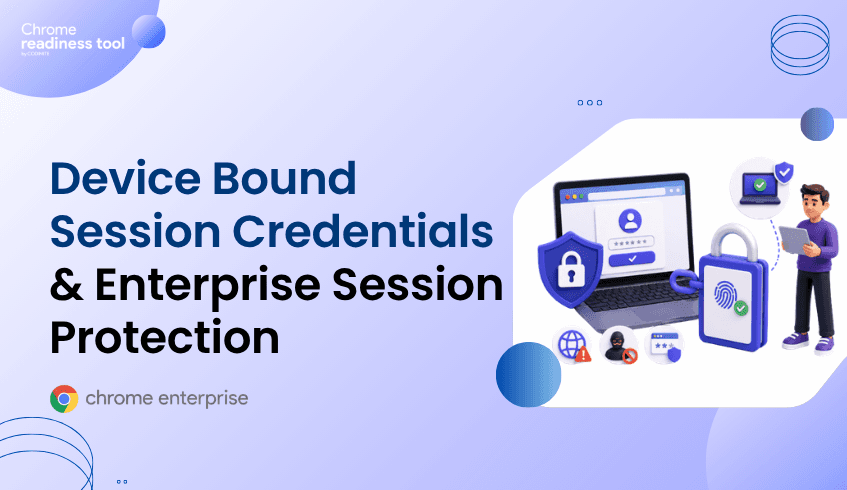
Device Bound Session Credentials and Enterprise Session Protection
Device Bound Session Credentials are designed to reduce the impact of session cookie theft by making stolen session material harder to reuse from another device. This matters because attackers increasingly target authenticated browser sessions after users complete MFA. For enterprises, session protection requires both stronger browser security and better visibility into browser posture. Browser Insights helps identify session-related exposure, Chrome Enterprise Premium strengthens browser-level protection, and CEP Accelerator helps teams prioritize where to act first.
Why is session protection an enterprise priority?
Session protection matters because attackers do not always need a password if they can steal an authenticated session.
In many attacks, the user signs in normally and completes MFA. After that, the browser receives session cookies or tokens that keep the user authenticated. If malware or another attack path steals that session material, an attacker may attempt to reuse it without repeating the original login process.
This is why session theft is so dangerous. It targets the browser after authentication has already succeeded.
What are Device Bound Session Credentials?
Device Bound Session Credentials, or DBSC, are a Chrome security capability designed to make stolen session cookies less useful to attackers.
Google has described DBSC as a way to bind sessions to a device so that stolen cookies cannot simply be replayed from another machine. Google announced that DBSC is entering public availability for Windows users on Chrome 146, with macOS support planned for a future Chrome release.
The idea is straightforward: if a session is tied to the device where it was created, stealing the cookie alone becomes less valuable.
How do session theft attacks bypass MFA?
Session theft attacks bypass MFA by targeting the post-authentication session instead of the login process.
MFA protects the moment of authentication. But once a user completes MFA, the browser maintains the session so the user does not have to re-authenticate on every page load.
Attackers may use infostealer malware, malicious extensions, phishing flows, or compromised devices to obtain session cookies or tokens. Once stolen, those tokens may be replayed to access applications as the authenticated user.
This is not a failure of MFA. It is a reminder that authentication and session protection are different layers.
Why browser posture still matters with DBSC
Device Bound Session Credentials are an important step forward, but browser posture still matters.
Enterprises still need to understand which devices are running current browser versions, which browsers are outdated, which extensions are installed, and where risky browsing activity is occurring.
DBSC helps reduce the usefulness of stolen session material. But security teams still need visibility into the conditions that increase session theft exposure, including outdated browsers and risky extensions.
That is where browser-level posture management becomes essential.
How Chrome Enterprise Premium helps strengthen session security
Chrome Enterprise Premium helps organizations strengthen security at the browser layer, where authenticated sessions live.
Google positions Chrome Enterprise Premium as a secure enterprise browsing solution that enhances Chrome’s built-in protections with capabilities such as threat protection, data protection, and access controls.
For session protection, this matters because many session theft paths begin with browser activity: phishing pages, unsafe domains, malicious downloads, or risky extensions.
Chrome Enterprise Premium helps organizations apply security closer to the session itself, instead of relying only on controls that operate before authentication or after compromise.
From Browser Insights: identifying session exposure
Browser Insights helps security teams see session-related browser exposure across the fleet.
One of the most relevant signals is session theft vulnerability based on browser version. Devices running outdated browser versions can be flagged as not protected, while devices running current versions can be shown as protected.
Browser Insights also surfaces installed extensions and domain access, which are important supporting signals for session risk.
A device with an outdated browser, unverified extensions, and unsafe domain access represents a higher-priority browser security concern than a device with current browser protection and no risky extension or domain activity.
Where CEP Accelerator adds value
CEP Accelerator helps teams prioritize session protection work.
It does not enforce policies or detect session theft directly. Instead, it maps observed Browser Insights risks to relevant Chrome Enterprise Premium capabilities.
For session protection, CEP Accelerator can help teams connect outdated browser versions, unverified extensions, and risky domain access to the controls that reduce browser-based session exposure.
This helps security teams focus on the devices and risks that matter most.
FAQ
What are Device Bound Session Credentials?
Device Bound Session Credentials are a Chrome security capability designed to bind sessions to a device, making stolen session cookies harder to reuse from another device.
Does DBSC replace MFA?
No. DBSC does not replace MFA. MFA protects authentication, while DBSC helps strengthen the session after authentication.
Why do attackers steal session cookies?
Attackers steal session cookies because they can represent an already-authenticated browser session. If reused successfully, they may allow access without the user’s password or MFA prompt.
How does Browser Insights help with session protection?
Browser Insights helps identify session theft vulnerability status based on browser version and provides related visibility into extensions and domain access.
Does CEP Accelerator detect session theft?
No. CEP Accelerator is a planning and visibility layer. It helps map observed browser risks to relevant Chrome Enterprise Premium capabilities.
Closing CTA
Enterprise session protection starts with knowing where session exposure exists. Use Browser Insights to identify outdated browsers, risky extensions, and unsafe domain access, then use CEP Accelerator to prioritize Chrome Enterprise Premium controls that help protect browser sessions.