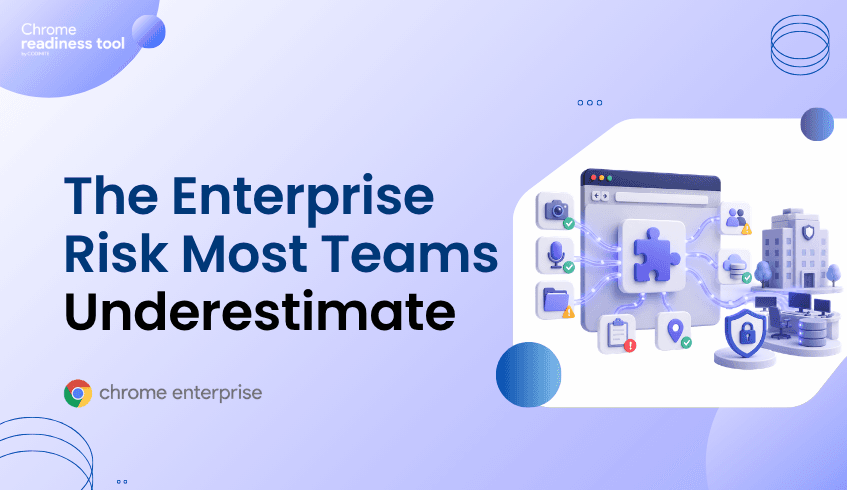
Extension Permissions: The Enterprise Risk Most Teams Underestimate
Browser extensions can improve productivity, but their permissions can also create enterprise security risk. Extensions may request access to webpages, browsing activity, data, or browser functionality that security teams do not fully understand.
In an enterprise environment, extension risk is not just about whether an extension is installed. It is about what the extension can access, where it came from, and which devices are affected.
Browser Insights helps surface extension visibility, Chrome Enterprise Premium supports stronger browser protection, and CEP Accelerator helps teams prioritize extension-related risk.
Why do extension permissions matter?
Extension permissions matter because they define what an extension can do inside the browser.
Some extensions need limited access to function properly. Others may request broader permissions, such as the ability to read or modify site data, interact with webpages, or access browsing context. Google’s Chrome Enterprise guidance explains that admins can manage extensions based on the information an extension can access, also known as Chrome app and extension permissions.
In a consumer setting, this may be an individual privacy concern. In an enterprise setting, it becomes a security issue because users access sensitive systems through the browser.
Employees use the browser to reach SaaS applications, internal dashboards, finance platforms, customer systems, developer tools, and AI applications. If an extension has broad permissions inside that browser, it may increase exposure to sensitive application data, session context, or user activity.
That does not mean every extension with broad permissions is malicious. It means security teams need a clear way to understand what extensions can access and whether that access is appropriate for the enterprise environment.
What makes extension risk hard to manage?
Extension risk is hard to manage because extensions are often installed for legitimate reasons.
Employees may install productivity tools, meeting helpers, password utilities, AI assistants, shopping tools, PDF tools, or developer extensions. Some may come from trusted stores. Others may be installed through developer mode or less controlled sources.
The challenge is that security teams may not have a complete view of:
Which extensions are installed
Which browsers they are installed on
Which devices are affected
What permissions the extensions request
Whether the extensions are verified
Whether installation sources align with company policy
Without that visibility, extension governance becomes reactive.
Google’s official guide for Managing Extensions in Your Enterprise recommends evaluating extensions based on the permissions they request and managing them through enterprise controls. That is the right foundation, but teams still need visibility into what is already installed across the fleet before they can prioritize action.
Why traditional endpoint tools may miss extension exposure
Traditional endpoint tools may show installed applications or malware alerts, but browser extensions operate inside the browser environment.
An extension may not look like a traditional executable. It may not generate a high-confidence malware alert. It may simply sit inside the browser with access that is broader than the organization would normally allow.
This creates a browser-layer blind spot.
Security teams need extension-specific visibility because extension risk depends on browser context, permissions, installation source, and device-level exposure. A browser extension installed on one low-risk device may be a minor issue. The same extension installed across many devices with broad permissions may become a meaningful enterprise risk.
That is why extension security should not be treated as a one-time approval process. It needs ongoing inventory, review, policy, and governance.
How Chrome Enterprise supports extension management
Chrome Enterprise provides enterprise controls for managing browser extensions, including the ability to allow, block, or configure extension installation on managed Chrome browsers and ChromeOS devices.
Admins can allow or block apps and extensions, manage extension policies, and apply controls across users, browsers, or organizational units. Google also documents ways to set Chrome app and extension policies, including preventing users from running extensions that request permissions the organization does not allow.
This is important because extension security is not only about blocking known malicious extensions. It is also about reducing unnecessary permission exposure and ensuring that only approved extensions are used in enterprise browser environments.
A mature extension strategy should include visibility, review, policy, and ongoing governance. The goal is not to block every extension. The goal is to understand which extensions are necessary, which permissions are acceptable, and which devices may need attention.
How Chrome Enterprise Premium helps reduce browser-layer exposure
Chrome Enterprise Premium helps organizations strengthen security where extensions operate: inside the browser.
Google describes Chrome Enterprise Premium as a secure enterprise browsing solution that helps protect corporate data in the browser. Google Cloud documentation also describes Chrome Enterprise Premium as enhancing Chrome’s built-in enterprise security with capabilities such as configurable data loss prevention, threat protection, and secure enterprise browsing controls through its Chrome Enterprise Premium overview.
For extension-related risk, this matters because risky extensions may contribute to unsafe browsing, data exposure, or session risk. Browser-level controls help organizations reduce exposure closer to the point where web activity and application access occur.
Chrome Enterprise Premium should be viewed as part of a broader browser security strategy that includes extension inventory, governance, and enforcement. It helps security teams bring protection closer to the browser session, where users interact with enterprise applications and sensitive data every day.
From Browser Insights: seeing extension risk across the fleet
Browser Insights helps security teams understand extension exposure across enterprise devices.
It can surface installed extensions, extension metadata, permissions, installation source, installed browsers, and security or permission insights. It also helps identify unverified extensions and shows where they appear across the fleet.
This gives teams a practical way to answer high-value questions:
Which extensions are installed most often?
Which devices have unverified extensions?
Which extensions request sensitive permissions?
Which browsers are affected?
Which devices require investigation?
This turns extension visibility into a security workflow.
Instead of relying on individual user reports or manual browser checks, security teams can assess extension exposure across the environment and focus attention on the devices, browsers, and extensions that create the highest risk.
Where CEP Accelerator adds value
CEP Accelerator helps teams prioritize extension-related risk.
It does not enforce extension policies or detect extension attacks directly. Instead, it maps observed extension risks in Browser Insights to relevant Chrome Enterprise Premium capabilities.
For extension permissions, CEP Accelerator can help security teams understand which extension findings should drive CEP planning and which devices may need attention first.
This is especially useful when organizations have many installed extensions across many devices. Not every extension issue carries the same level of risk. CEP Accelerator helps teams focus on the exposures most relevant to browser security posture.
For example, a device with unverified extensions, broad permissions, and risky browsing activity may deserve more urgent review than a device with only low-risk approved extensions. CEP Accelerator helps turn browser visibility into a prioritized plan for reducing exposure.
FAQ
Why are browser extension permissions risky?
Extension permissions define what an extension can access or modify inside the browser. Broad permissions may increase exposure to sensitive data, browsing activity, or enterprise application context.
Are all unverified extensions malicious?
No. Unverified does not automatically mean malicious. But unverified extensions can represent increased risk and should be reviewed by security or IT teams.
What should security teams review before allowing an extension?
Teams should review the extension’s purpose, permissions, installation source, update behavior, affected users, and whether it aligns with company policy. Google’s enterprise guidance for managing extensions is a useful starting point for building that review process.
Does Browser Insights remove risky extensions?
No. Browser Insights provides visibility into extension risk. Enforcement and policy actions should be handled through appropriate browser management and security controls.
How does CEP Accelerator help with extension risk?
CEP Accelerator helps map observed extension risks to relevant Chrome Enterprise Premium capabilities so teams can prioritize their browser security strategy.
Closing CTA
Extension permissions are easy to underestimate because extensions often look like small productivity tools. But inside the enterprise browser, they can create meaningful exposure.
Use Browser Insights to identify unverified extensions, permissions, installation sources, and affected devices. Then use CEP Accelerator to prioritize the Chrome Enterprise Premium controls that can help reduce browser-layer risk.