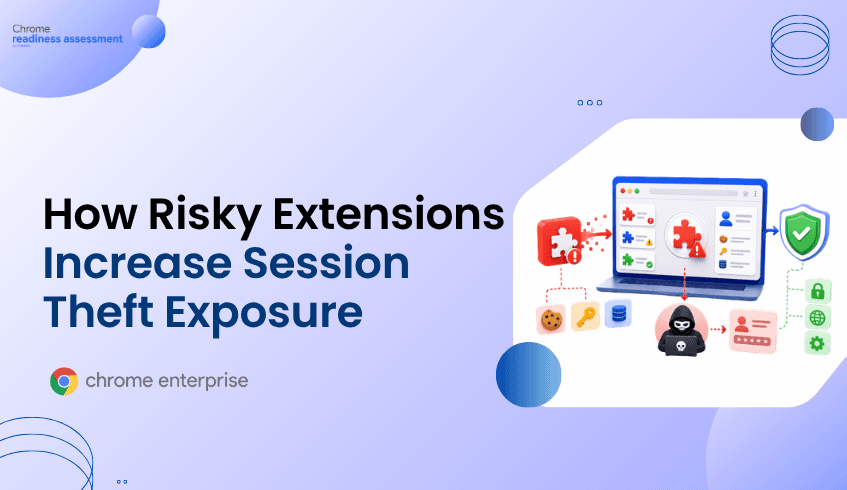
How Risky Extensions Increase Session Theft Exposure
Risky browser extensions can increase session theft exposure because they operate inside the same environment where users access enterprise applications, SaaS platforms, and authenticated browser sessions. Even when an extension is not obviously malicious, broad permissions, unverified installation sources, or weak governance can create browser-layer risk. Browser Insights helps security teams identify unverified extensions and device-level exposure across the browser fleet. Chrome Enterprise Premium provides the enforcement layer, while CEP Accelerator helps teams prioritize where to strengthen browser security first.
Why do risky extensions matter for session theft?
Risky extensions matter because browser sessions have become one of the most valuable targets in enterprise security.
When a user signs in to a business application, the browser maintains session state so the user does not need to reauthenticate on every page. That session context may include cookies, tokens, application access, and authenticated workflows. Attackers target this post-login state because stealing or abusing a valid session can help them bypass the login step entirely.
Extensions run close to that environment.
A browser extension may interact with web pages, read or modify page content, access browser activity, or request permissions that affect how it behaves across websites. Google’s Chrome Enterprise extension management guidance notes that admins can evaluate and manage extensions based on the permissions they request.
That permission model is what makes extension governance so important. A productivity tool with limited access may be low risk. An unknown extension with broad access across sites may create a much larger exposure point.
How can extensions increase session theft exposure?
Extensions can increase session theft exposure by expanding what runs inside the browser and what has access to browser-based activity.
In a typical session theft scenario, attackers are not trying to defeat MFA directly. They are trying to steal or misuse the authenticated session that exists after MFA is complete. That can involve malware, phishing, unsafe domains, compromised endpoints, or risky software running near browser data.
Extensions can contribute to this risk in several ways.
An extension with broad host permissions may be able to interact with many websites. An extension with content access may observe or modify pages users visit. An extension installed from an untrusted or unverified source may not have gone through the same review process as approved enterprise tools. An extension that changes ownership or receives a compromised update can also become risky after it has already been installed.
Google has also highlighted the broader session theft problem through its work on App-Bound Encryption, which was introduced to improve protection for Chrome cookies on Windows by tying encrypted data to app identity. Google’s security team explained that infostealers take advantage of weaker cookie protection models by attempting to access browser data as the logged-in user.
The lesson for enterprises is clear: session protection is not only an identity problem. It is also a browser posture problem.
Why are unknown and unverified extensions especially risky?
Unknown and unverified extensions are risky because security teams may not know what they do, what permissions they request, or where they are installed.
Users often install extensions for convenience. They may need a PDF tool, meeting helper, screenshot utility, AI assistant, grammar checker, coupon tool, password helper, or productivity add-on. Some of these tools may be legitimate. Others may request more access than the business is comfortable allowing. Some may be installed only on one device, while others may spread across teams.
The problem is visibility.
A security team may have strong identity controls and endpoint protection, but still lack a clear view of browser extensions across Chrome, Edge, Firefox, Brave, Vivaldi, and Opera. Without that inventory, unknown extensions can become policy blind spots.
Google’s Chrome Enterprise Security Blog has emphasized that poorly designed or malicious extensions can compromise data integrity and expose sensitive information, making visibility and control important for organizations.
For session theft risk, that visibility matters because unverified extensions can sit inside the browser environment where authenticated work happens every day.
Why does MFA not fully solve extension-driven session risk?
MFA protects the authentication moment. It does not automatically protect every authenticated browser session that follows.
Once a user completes MFA, the browser receives session cookies or tokens that keep the user signed in. If an attacker can steal or misuse that session material, they may be able to impersonate the user without needing the password or second factor again.
That is why browser security has become a critical part of identity protection.
Google’s recent work on Device Bound Session Credentials is another example of the industry shift toward protecting sessions after login. The technology is designed to help combat session theft by binding session credentials more closely to the device.
For enterprises, this reinforces a practical point: identity controls and browser controls need to work together. MFA reduces credential abuse. Browser posture helps reduce what can happen after authentication.
Why traditional controls miss extension-related exposure
Traditional security tools often focus on endpoint events, identity logs, network traffic, or application access. Those signals are useful, but they may not show enough browser-specific context.
For extension governance, security teams need answers to questions such as:
Which extensions are installed? Which devices have unverified extensions? Which browsers are affected? Which extensions have broad permissions? Which devices combine extension risk with outdated browsers or unsafe domain access?
Without those answers, teams may only find risky extensions after a user reports a problem, an audit reveals a gap, or an incident investigation begins.
That is too late.
Extension risk should be visible before it becomes part of a session theft chain.
How does Chrome Enterprise Premium help reduce extension and session risk?
Chrome Enterprise Premium helps organizations bring enterprise-grade security controls directly into the browser, where extension and session risk occur.
For session theft exposure, this matters because the browser is where users authenticate, access applications, interact with data, and maintain active sessions. Chrome Enterprise Premium strengthens browser security with threat protection, data protection, centralized management, and secure enterprise browsing controls.
It also works alongside Chrome Enterprise extension management capabilities. Admins can use Chrome Enterprise policies and the ExtensionSettings policy to manage extension behavior, including allow, block, and installation settings.
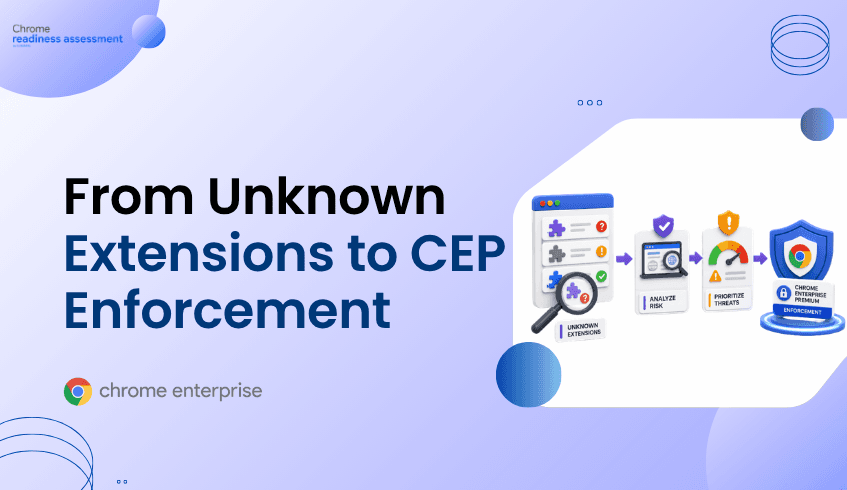
This gives organizations a path from extension discovery to browser-level enforcement.
Security teams can identify risky or unverified extensions, define which extensions are approved, restrict extensions with unacceptable permissions, and reduce the chance that unmanaged add-ons operate inside enterprise browser sessions.
How does Browser Insights help identify risky extension exposure?
Browser Insights helps security teams see extension risk across the enterprise browser fleet.
It surfaces browser and extension details across Chrome, Edge, Firefox, Vivaldi, Brave, and Opera. This includes installed extensions and related browser information that helps teams understand where extension exposure exists at the device level.
For session theft exposure, the most relevant signals include unverified extensions and browser version status. Outdated browsers may indicate weaker protection against known session theft mechanisms, while unverified extensions can represent additional browser-layer exposure.
Browser Insights also supports device-level drill-down, allowing teams to investigate specific machines where risk is elevated. This is especially useful when extension risk overlaps with other browser signals, such as restricted or non-HTTPS domain access.
The goal is not to treat every extension as malicious. The goal is to identify which devices and browser environments need review before session risk becomes harder to control.
Where does CEP Accelerator add value?
CEP Accelerator helps teams turn Browser Insights findings into a prioritized Chrome Enterprise Premium deployment plan.
It is a planning and visibility layer. It does not enforce policies, detect attacks directly, or automate remediation. Instead, it helps connect observed browser risks to the relevant Chrome Enterprise Premium capabilities that can reduce exposure.
For risky extensions, CEP Accelerator helps teams understand where extension exposure should influence enforcement priorities. A device with unverified extensions, outdated browser versions, and unsafe domain access may deserve faster attention than a device with only a lower-risk finding.
That prioritization matters because browser risk is rarely evenly distributed. Some users, departments, or devices may carry more exposure than others. CEP Accelerator helps security teams focus deployment planning where it can have the greatest impact.
How should security teams approach risky extensions?
Security teams should treat extension governance as part of session security.
That starts with visibility. Teams need to know which extensions are installed, where they are installed, and whether they are verified or unverified. They also need to understand whether extension risk overlaps with other session theft indicators, such as outdated browsers or unsafe domain access.
Next comes policy. Organizations should decide which extensions are approved, which permissions are acceptable, and which extensions should be blocked or reviewed before use.
Then comes enforcement. Chrome Enterprise Premium and Chrome Enterprise policies help teams apply browser-level controls so extension governance is not dependent on user behavior alone.
The most important shift is recognizing that extension risk is not separate from session risk. Extensions live inside the browser, and the browser is where enterprise sessions live.
FAQ
Are risky extensions always malicious?
No. A risky extension is not always malicious. It may be unverified, overly permissive, unnecessary, outdated, or installed from a source that has not been reviewed by the organization. The risk comes from uncertainty, permissions, and proximity to browser activity.
How can extensions contribute to session theft?
Extensions can increase exposure when they have broad access to web pages, browser activity, or sensitive browser context. If an extension is malicious, compromised, or poorly governed, it can become part of a browser-layer attack path.
Does MFA prevent session theft?
MFA helps protect the login process, but it does not fully protect the authenticated session after login. Session theft targets cookies or tokens that exist after authentication is complete.
Can Browser Insights block risky extensions?
No. Browser Insights provides visibility into browser and extension risk. Enforcement is handled through browser management and Chrome Enterprise Premium controls.
What role does CEP Accelerator play?
CEP Accelerator helps teams prioritize Chrome Enterprise Premium deployment based on browser risks observed through Browser Insights, including unverified extensions, session theft exposure, and unsafe domain access.
Closing CTA
Risky extensions increase session theft exposure because they operate inside the browser environment where authenticated enterprise work happens. Start by using Browser Insights in Chrome Readiness Assessment to identify unverified extensions, affected devices, and overlapping browser risks. Then use CEP Accelerator to prioritize where Chrome Enterprise Premium enforcement can help strengthen extension governance and reduce session-layer exposure.