Introducing Agentic Workflows: Find the Workflows Ready for AI Automation
Agentic AI is creating a new opportunity for enterprises to reduce repetitive work, but most teams still face a practical first question: which workflows should be automated first? Agentic Workflows helps answer that question by identifying repetitive, multi-step workflows across applications, devices, and browser-based activity. The feature gives IT and operations teams visibility into workflow patterns, time spent, device-level usage, and automation readiness. Instead of guessing where automation may help, organizations can start with real workflow evidence.
Why do enterprises need workflow automation visibility?
Enterprises need workflow automation visibility because repetitive work is often hidden inside everyday activity.
Employees move between email, spreadsheets, documents, calendars, web apps, internal tools, dashboards, ticketing systems, and SaaS platforms throughout the day. They copy information from one system to another, review updates, create recurring files, coordinate approvals, and repeat the same multi-step processes across different tools.
Individually, these tasks may not look significant. Across a team or organization, they can consume meaningful time and slow down operations.
Agentic AI is changing how organizations think about automation by enabling systems that can plan, take action, and support business workflows. But before organizations can automate effectively, they need to know where automation is actually useful.
That is the role of Agentic Workflows.
What is Agentic Workflows?
Agentic Workflows is a feature in Chrome Readiness Assessment that helps organizations identify workflows that may be suitable for AI-driven automation.
The feature analyzes application usage patterns and browser-based activity to detect repetitive, multi-step workflows. It then surfaces which workflows appear automation-ready, how much time is spent on them, and where they are happening across devices.
The goal is simple: help organizations understand where repetitive work exists and where automation may create value.
This makes automation planning more practical. Teams do not have to rely only on workshops, user interviews, or assumptions. They can use observed workflow patterns to identify opportunities that are already happening across the organization.
How does Agentic Workflows identify automation-ready workflows?
Agentic Workflows identifies automation-ready workflows by detecting repeated sequences of activity across applications and web tools.
For the initial release, the feature focuses on workflows involving up to four applications. It looks at application usage, session sequences, and URL-level browser activity to understand how users move through recurring work patterns.
For example, a repeated workflow might involve a user reviewing an email, opening a spreadsheet, checking a web dashboard, and updating a document.
Another workflow might involve checking a calendar event, opening a cloud file, visiting a SaaS app, and sending a follow-up message.
Instead of treating those actions as separate events, Agentic Workflows groups similar repeated sequences into workflows. This gives teams a clearer view of how work actually moves across applications.
Why does this matter for agentic AI adoption?
It matters because agentic AI adoption should begin with the right workflows.
Not every repetitive process is equally valuable to automate. Some workflows may be frequent but low impact. Others may consume significant time across many users. Some may be simple enough to automate quickly, while others may require more business review before implementation.
Agentic Workflows helps organizations separate automation noise from automation opportunity.
By showing which workflows are repeated, how much time they consume, and how widely they appear across devices, the feature helps teams prioritize automation candidates with stronger business value.
This creates a more structured path toward agentic operations. Organizations can identify patterns first, evaluate readiness second, and then decide how to implement automation using the tools and governance model that best fit their environment.
What does the dashboard show?
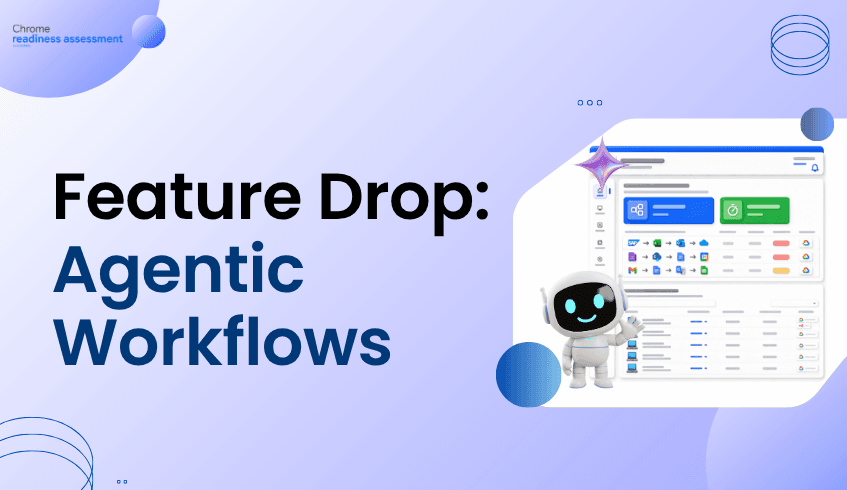
The Agentic Workflows dashboard gives administrators a high-level view of workflow activity and automation potential.
It shows the total number of detected workflows, the number of automation-ready workflows, and the total time spent on those workflows. This gives leaders a fast way to understand how much repetitive work may exist across the environment.
The dashboard also highlights top automation-ready workflows based on frequency and time spent. This helps teams focus on workflows that are likely to deliver the strongest operational impact.
For example, if a workflow appears across many devices and consumes a high amount of time, it may deserve early review. If another workflow appears rarely or consumes little time, it may be a lower priority.
The dashboard turns automation discovery into a measurable planning activity.
How does device-level insight help teams prioritize automation?
Device-level insight helps teams understand where workflows are happening and how widely they are distributed.
A workflow that appears on one device may reflect an individual habit. A workflow that appears across many devices may represent a broader team or business process. That distinction matters when deciding what to automate first.
Agentic Workflows provides device-level workflow insights, including detected workflows and automation readiness. This allows teams to drill into specific machines where repetitive workflows are occurring.
That level of visibility supports better rollout planning. Organizations can validate workflows with the teams that perform them, evaluate whether the process is consistent, and then decide whether automation should be piloted, expanded, or deprioritized.
How does browser-based workflow detection improve automation planning?
Browser-based workflow detection improves automation planning because modern work happens heavily inside the browser.
Many enterprise workflows do not live entirely inside desktop applications. Users move between SaaS platforms, web portals, cloud applications, internal dashboards, customer systems, and browser-based productivity tools.
If automation readiness only looks at desktop application usage, it may miss a major part of how work actually happens.
Agentic Workflows uses URL-level activity to identify web application usage within detected workflows. This helps teams understand when browser-based tasks are part of a larger repeated process.
That visibility is especially important for organizations where the browser has become the primary workspace. It helps reveal recurring workflows that span both desktop and web environments.
What makes a workflow automation-ready?
A workflow may be automation-ready when it is repetitive, structured, frequent, and time-consuming enough to justify further evaluation.
Agentic Workflows helps surface those signals by identifying repeated workflow patterns and measuring the time spent on each detected workflow. It also shows how many devices are associated with each workflow, helping teams understand whether the pattern is isolated or common across the organization.
Automation readiness does not mean the workflow should be automated immediately. It means the workflow has characteristics that make it worth reviewing.
Teams can then evaluate business rules, data sensitivity, exception handling, ownership, compliance needs, and implementation options before deciding how to proceed.
What Agentic Workflows does not do
Agentic Workflows is designed for visibility and planning. It does not automatically execute workflows, deploy automations, or orchestrate agents in real time.
It also does not create custom workflows for users, send end-user notifications, trigger automations, or reconstruct deep workflow logic beyond pattern detection.
This distinction is important.
The feature helps organizations identify where automation opportunities exist. It does not replace the implementation layer, governance process, or business validation needed to safely automate work.
That makes it useful as an early-stage automation readiness tool. It helps teams understand where to look first before choosing how to design, approve, and deploy automation.
How does Agentic Workflows support better automation decisions?
Agentic Workflows supports better automation decisions by giving teams a clearer, data-backed view of repetitive work.
Without visibility, automation programs can become scattered. Teams may automate based on anecdotal feedback, executive assumptions, or the loudest requests. That can lead to missed opportunities or low-impact automation projects.
With Agentic Workflows, organizations can begin with observed patterns:
Which workflows are repeated most often? Which workflows consume the most time? Which workflows appear across multiple devices? Which workflows involve both desktop and browser-based applications? Which workflows are strong candidates for automation review?
This helps IT, operations, and business leaders align around a shared view of automation potential.
It also supports more responsible agentic AI adoption. Before deploying agents into business processes, organizations can understand where agents may reduce manual effort and where human review, process redesign, or governance may still be needed.
FAQ
What is Agentic Workflows?
Agentic Workflows is a Chrome Readiness Assessment feature that helps organizations identify repetitive, multi-step workflows that may be ready for AI-driven automation.
Does Agentic Workflows recommend a specific automation platform?
No. The feature focuses on identifying workflows that can be automated. It does not limit recommendations to a specific automation tool or platform.
Does it automate workflows directly?
No. Agentic Workflows does not execute, deploy, or orchestrate automations. It provides workflow visibility, automation readiness insights, and planning support.
Does it support browser-based workflows?
Yes. The feature analyzes browser-based workflows using URL-level activity to identify web application usage as part of broader workflow patterns.
Why does time spent matter?
Time spent helps teams prioritize automation opportunities. Workflows that are repetitive, time-consuming, and used across multiple devices may offer stronger automation value.
Agentic AI can help organizations reduce repetitive work, but successful automation starts with knowing where the right opportunities exist. Use Agentic Workflows in Chrome Readiness Assessment to identify repeated workflows, understand time spent, and prioritize the processes that are ready for automation review.