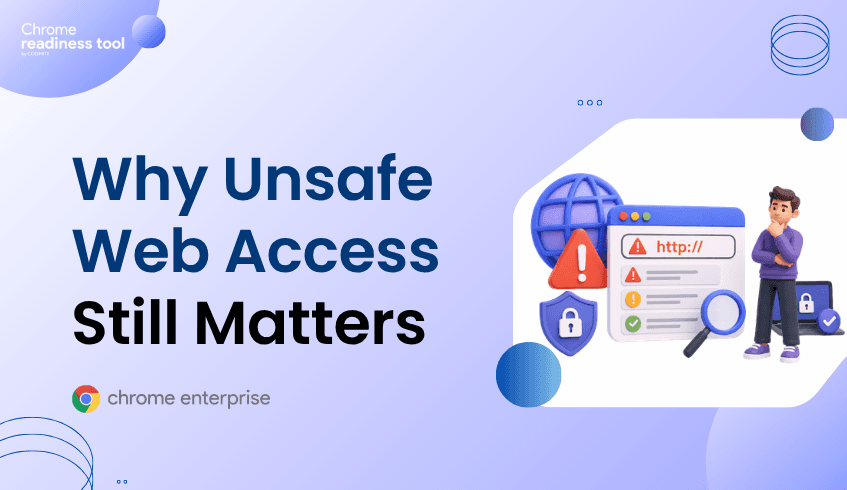
Risky Domains and Browser Security: Why Unsafe Web Access Still Matters
Risky domains remain one of the clearest signals of browser-layer exposure. Non-HTTPS sites, suspicious domains, phishing destinations, and company-restricted domains can create pathways for credential theft, malware delivery, and data exposure. Security teams need visibility into which devices are accessing unsafe domains and how frequently that access occurs. Browser Insights helps surface domain-level risk, Chrome Enterprise Premium supports browser-level protection, and CEP Accelerator helps teams prioritize the right controls.
Why are risky domains still a browser security problem?
Risky domains matter because the browser is the first point of contact between users and the open web.
Even with strong endpoint security and identity controls, users may still visit unsafe sites, click phishing links, interact with suspicious pages, or access domains that do not meet company policy. These interactions happen inside the browser, often before other tools have enough context to respond.
Unsafe web access can contribute to several enterprise risks:
Credential phishing
Session theft
Malware delivery
Data leakage
Unauthorized access to restricted services
Exposure through non-HTTPS traffic
The issue is not only that risky domains exist. The issue is that many organizations do not know which devices are accessing them.
What counts as a risky domain?
A risky domain is any web destination that creates security, privacy, or compliance concern for the organization.
This can include non-HTTPS domains, suspicious domains, phishing-related destinations, and company-restricted sites. In an enterprise environment, a domain may also be considered risky because it violates internal policy, even if it is not universally malicious.
For example, a company may restrict certain file-sharing services, unmanaged AI tools, or unauthorized SaaS applications. If devices continue accessing those domains, security teams need visibility into that behavior.
Why traditional controls may miss unsafe web access
Many enterprise security tools focus on endpoint alerts, identity events, or network traffic. Those signals are valuable, but they may not provide a clean device-level view of browser domain exposure.
A network tool might show domain traffic. An endpoint tool might show malware activity. An identity tool might show sign-ins. But security teams still need to know:
Which browser accessed the domain?
Which device was involved?
Was the site non-HTTPS?
Was the domain restricted by company policy?
How many devices accessed it?
How much usage time was associated with the domain?
These are browser security posture questions. They require browser-level visibility.
How Chrome Enterprise Premium helps reduce unsafe web access risk
Chrome Enterprise Premium helps organizations apply security controls directly within the browser, where risky web access occurs.
Google’s Chrome Enterprise Premium documentation describes capabilities for defending against real-time phishing and malware, preventing data exfiltration with DLP policies, and enforcing context-aware access to applications from Chrome.
For risky domain exposure, this matters because attackers often rely on malicious or suspicious destinations to host phishing pages, collect credentials, deliver payloads, or receive stolen data.
Browser-level protection helps reduce dependence on controls that only act after the user has already reached a risky destination.
From Browser Insights: seeing risky domain access across the fleet
Browser Insights helps security teams identify domain-related exposure across devices.
It can surface accessed domains and classify domain risk signals such as unsecured, suspicious, or company-restricted access. This gives teams visibility into where unsafe browsing behavior is occurring and which devices are involved.
Relevant domain insights include:
Domains accessed by users
Unsecured or suspicious domains
Admin-defined restricted domains
Number of devices accessing the domain
Device-level drill-down for investigation
This makes risky domain visibility more actionable. Instead of only knowing that a domain was accessed somewhere in the environment, teams can identify affected devices and prioritize response.
Where CEP Accelerator adds value
CEP Accelerator helps connect risky domain findings to relevant Chrome Enterprise Premium capabilities.
For risky domain exposure, CEP Accelerator can help teams prioritize controls related to safer browsing, URL filtering, phishing protection, and browser-level enforcement.
This helps security teams move from “we have risky domain activity” to “these are the devices and controls we should prioritize first.”
FAQ
Why are risky domains important in browser security?
Risky domains can be used for phishing, malware delivery, credential theft, session theft, and data exfiltration. Because users access them through the browser, they are a browser-layer security concern.
What is a restricted domain?
A restricted domain is a web destination that an organization has defined as unsafe, unauthorized, or not allowed under company policy.
Are non-HTTPS domains always malicious?
No. But non-HTTPS access can create additional risk because traffic is not protected in the same way as HTTPS traffic. In enterprise environments, it is a useful browser posture signal.
Does Browser Insights block risky domains?
No. Browser Insights provides visibility into risky domain access. Chrome Enterprise Premium provides browser-level controls that can help reduce unsafe web access exposure.
How does CEP Accelerator help with risky domains?
CEP Accelerator maps observed risky domain exposure to relevant Chrome Enterprise Premium capabilities, helping teams prioritize deployment and policy planning.
Closing CTA
Risky domains remain a practical signal of browser exposure. Start by using Browser Insights to identify which devices are accessing unsafe or restricted domains, then use CEP Accelerator to prioritize Chrome Enterprise Premium controls that can help reduce web access risk.