Unsafe Domains Are Early Warning Signals for Browser-Based Threats
Unsafe domains are often one of the first visible signs of browser-based risk. A single visit to a suspicious, restricted, or non-HTTPS domain may not look like a major incident, but across an enterprise fleet, those visits can reveal patterns that security teams need to act on. Browser Insights helps teams identify where risky domain access is happening at the device level. Chrome Enterprise Premium provides browser-level controls that help reduce exposure, while CEP Accelerator helps teams prioritize where those controls should be deployed first.
Why do unsafe domains matter in enterprise browser security?
Unsafe domains matter because the browser is where users interact with web apps, SaaS platforms, cloud data, internal tools, and identity sessions.
Attackers know this. They use phishing pages, lookalike domains, unsecured sites, malicious redirects, and compromised web infrastructure to reach users inside normal browsing workflows. The user may think they are visiting a routine website. The security team may only see a small web event. But the browser may now be exposed to credential theft, malware delivery, data loss, or session abuse.
That is why domain visibility has become an important browser security signal.
A domain visit is not just a destination. It can indicate whether users are reaching unsafe web infrastructure, whether policy controls are being bypassed, whether certain devices are repeatedly accessing risky locations, or whether a department is using tools that have not been reviewed.
This matters even more as enterprise work becomes increasingly browser-based. Chrome Enterprise Premium is designed to bring advanced enterprise security directly into the browser, including centralized management, threat protection, data protection, and Zero Trust access controls.
How do unsafe domains become early warning signals?
Unsafe domains become early warning signals when they reveal risky behavior before a larger incident occurs.
For example, a device that repeatedly accesses non-HTTPS domains may be exposed to weaker transport security. A user visiting suspicious domains may be interacting with phishing infrastructure. Access to company-restricted domains may indicate policy gaps or risky behavior that should be reviewed.
When those signals are seen across multiple devices, they become more than isolated browsing events. They become a browser posture issue.
The key is context.
Security teams need to know:
Which domains were accessed
Which devices accessed them
Whether the domains were unsecured, suspicious, or restricted
How often the access occurred
Whether risky domain access overlaps with other browser risks
Without that context, unsafe browsing activity can stay hidden until it becomes part of a larger attack chain.
What kinds of browser-based threats start with unsafe domains?
Unsafe domains can support several common browser-based attack paths.
Phishing is the most obvious. Attackers use fake login pages, lookalike domains, and redirect chains to trick users into entering credentials or approving access. Even when MFA is enabled, phishing can still lead to session abuse if attackers target post-login tokens or trick users into interacting with malicious workflows.
Malware delivery is another major concern. Unsafe domains can host downloads, scripts, or redirects that lead users toward harmful files. Google Safe Browsing helps protect users by warning them before they visit dangerous sites or download harmful apps.
Unsafe domains can also contribute to data exposure. A user may upload sensitive content to an unapproved web service, paste information into a non-corporate tool, or interact with an unsecured website that does not meet enterprise policy requirements.
In each case, the domain visit is an early signal. It may not prove compromise, but it gives security teams a place to investigate before the risk expands.
Why do traditional controls miss unsafe browsing patterns?
Traditional controls often focus on identity, endpoint activity, or network events. Those controls are still important, but they may not provide the browser-specific detail security teams need.
An identity tool may confirm that a user successfully authenticated. An endpoint tool may show that the device is active. A firewall may log web traffic. But those signals may not clearly answer browser posture questions such as:
Is this device visiting restricted domains?
Is the browser reaching non-HTTPS sites?
Are risky domains concentrated on specific machines?
Are unsafe domains connected to extension or session exposure?
Browser-layer visibility helps close that gap. It shows risk in the place where web activity actually happens: inside the browser environment.
This is especially important for organizations with mixed browser fleets. Enterprise users may access work through Chrome, Edge, Firefox, Brave, Vivaldi, Opera, or other browsers. If security teams cannot see browser and domain behavior across the fleet, unsafe domain activity can remain fragmented and difficult to prioritize.
How does Chrome Enterprise Premium help reduce unsafe domain risk?
Chrome Enterprise Premium helps organizations enforce browser-level protections where web risk appears.
For unsafe domain exposure, this matters because the browser is the control point closest to the user’s web activity. Chrome Enterprise Premium builds on Chrome’s secure foundation with advanced enterprise protections, including threat protection, data protection, centralized management, and Zero Trust access controls for web applications.
That browser-level enforcement is important when users interact with phishing pages, malicious domains, risky web apps, or unauthorized destinations. Instead of relying only on controls that operate after the browsing event, Chrome Enterprise Premium helps organizations apply protection during the browsing experience.
Security teams can also use Chrome Enterprise policies and website access controls such as URL blocklists and allowlists to help manage which sites users can access in enterprise environments.
For security teams, the practical value is clear: unsafe domains are not only something to detect later. They are destinations where policy can be applied earlier.
How does Browser Insights help identify unsafe domain exposure?
Browser Insights helps security teams see where browser-level risk exists across the enterprise fleet.
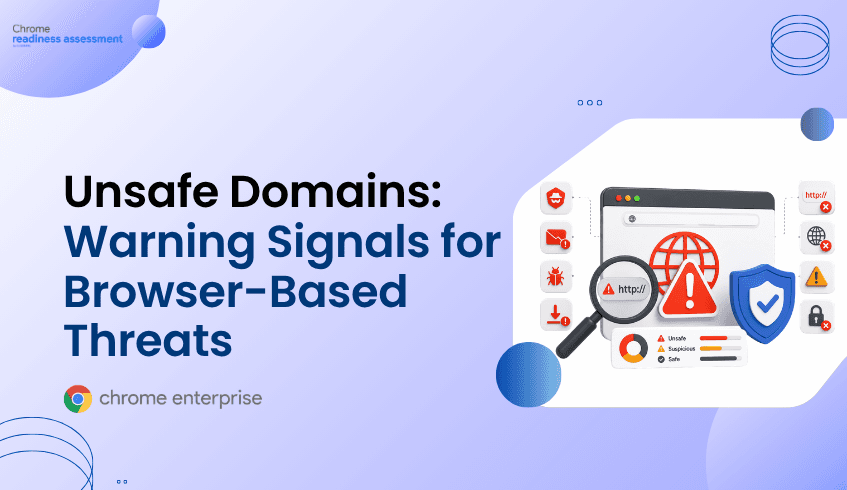
For domain risk, Browser Insights surfaces accessed domains and helps identify unsecured, suspicious, or company-restricted domain activity. This gives IT and security teams a clearer view of which devices are reaching unsafe or restricted destinations.
That visibility is especially useful because domain risk is rarely evenly distributed. One device may be accessing restricted domains regularly. Another may show unsecured domain activity. A third may combine unsafe domain access with other browser risks, such as unverified extensions or outdated browser versions.
Browser Insights supports device-level investigation, helping teams move from a broad organizational view into the specific machines where browser risk is elevated. This makes unsafe domain access easier to review, prioritize, and address.
The goal is not to treat every domain visit as an incident. The goal is to turn domain activity into a practical security signal.
Where does CEP Accelerator fit?
CEP Accelerator helps teams move from visibility to prioritization.
It acts as a planning and visibility layer inside Browser Insights. It does not enforce policies or detect attacks directly. Instead, it helps connect observed browser risks to the Chrome Enterprise Premium capabilities that can help address them.
For unsafe domains, that means security teams can use Browser Insights to see where risky domain access exists, then use CEP Accelerator to understand which areas should be prioritized for Chrome Enterprise Premium deployment.
This is useful because browser risk is often spread across many devices, users, and departments. CEP Accelerator helps teams avoid treating every finding equally. A device with restricted domain access, unsecured browsing activity, and other browser risk indicators may deserve faster attention than a device with lower exposure.
How should security teams think about domain risk?
Security teams should treat unsafe domain access as an indicator of browser posture, not just a web traffic event.
A single unsafe domain visit may be accidental. A pattern of unsafe domain access across multiple devices may indicate a broader policy or visibility problem. Repeated access to restricted domains may suggest that existing controls are not aligned with real user behavior. Non-HTTPS domain activity may highlight weak browsing hygiene. Suspicious domains may reveal phishing or malware exposure.
The most important shift is to connect domain visibility with action.
Browser Insights shows where the exposure exists. Chrome Enterprise Premium provides enforcement capabilities that help reduce browser-based risk. CEP Accelerator helps prioritize the path from discovery to deployment.
That combination gives security teams a practical way to move from “we saw risky browsing” to “we know which devices are exposed and which browser controls should come next.”
FAQ
Are unsafe domains always malicious?
No. An unsafe domain signal does not always mean the domain is malicious. It means the domain may require review because it is unsecured, suspicious, restricted by company policy, or associated with risky browsing behavior.
Why are non-HTTPS domains still a concern?
Non-HTTPS domains can create weaker security conditions for browser activity. They may expose users to unsafe redirects, interception risk, or lower-trust browsing experiences, especially when accessed from enterprise devices.
Can Browser Insights block unsafe domains?
Browser Insights is a visibility layer. It helps teams identify browser and domain risk across devices. Enforcement decisions are handled through browser security controls such as those available with Chrome Enterprise Premium.
How does Chrome Enterprise Premium help with risky domains?
Chrome Enterprise Premium brings advanced security controls directly into the browser, including threat protection, data protection, and access controls for web applications. This helps organizations reduce exposure where risky browsing activity occurs.
What role does CEP Accelerator play?
CEP Accelerator helps teams prioritize Chrome Enterprise Premium deployment based on browser risks observed through Browser Insights. It connects visibility to planning so security teams can decide where to act first.
Closing CTA
Unsafe domains are often the first visible sign of browser risk. Start by using Browser Insights to identify which devices are accessing unsecured, suspicious, or restricted domains. Then use CEP Accelerator to prioritize where Chrome Enterprise Premium can help strengthen browser-level protection across the enterprise fleet.