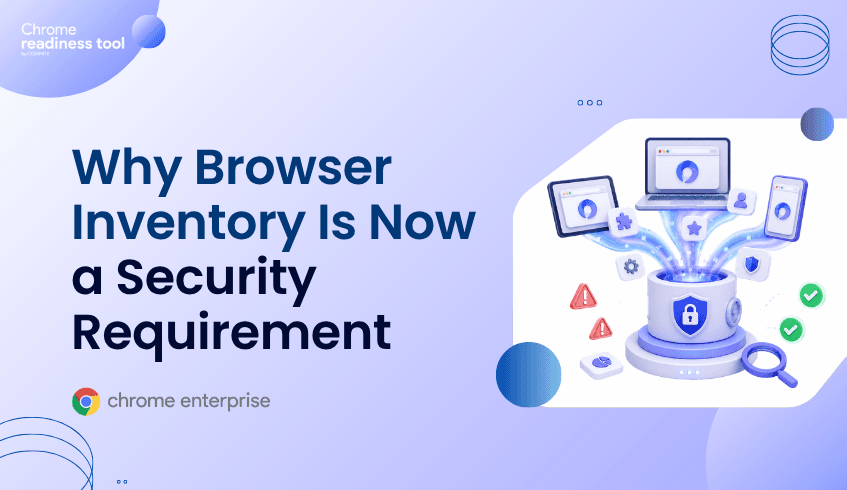
Why Browser Inventory Is Now a Security Requirement
Browser inventory is no longer just an IT operations task. It is now a security requirement. Enterprises need to know which browsers are installed, which versions are running, which extensions are present, and which devices are accessing risky domains. Browser Insights provides device-level browser visibility, Chrome Enterprise Premium helps enforce stronger browser security, and CEP Accelerator helps prioritize action based on observed risk.
Why is browser inventory now a security issue?
Browser inventory matters because the browser has become the front door to enterprise applications and data.
Users access email, identity systems, SaaS platforms, finance applications, customer records, developer tools, and AI services through the browser. If security teams do not know which browsers are in use or how they are configured, they cannot fully understand enterprise exposure.
An incomplete browser inventory creates basic but serious questions:
Which devices are running outdated browsers?
Which users have unverified extensions installed?
Which browsers are accessing restricted domains?
Which devices have the highest browser-level risk?
Without answers, browser security becomes guesswork.
What should a modern browser inventory include?
A useful browser inventory should go beyond browser name.
Security teams need browser data that helps them assess risk. That includes browser version, installed extensions, extension metadata, domain access, and device-level security status.
At minimum, browser inventory should help answer:
What browsers are installed across the fleet?
What versions are running?
Which extensions are installed?
Which extensions are unverified?
Which devices are accessing unsafe domains?
Which devices are considered secure or not secure?
Which devices require investigation?
This turns inventory into security intelligence.
Why browser diversity increases risk
Most enterprises do not have a single-browser environment.
Users may run Chrome, Edge, Firefox, Brave, Opera, Vivaldi, or other browsers depending on role, device, preference, or legacy application requirements. Browser diversity is not automatically bad, but unmanaged diversity can create visibility gaps.
A security team may have strong controls for one browser while lacking visibility into others. That gap can make it difficult to understand where outdated versions, unverified extensions, or unsafe browsing activity exist.
Browser inventory helps normalize that view across the fleet.
How Chrome Enterprise Premium fits into browser inventory strategy
Chrome Enterprise Premium is not simply about knowing what browsers exist. It is about applying stronger controls where browser-based work and risk happen.
Google describes Chrome Enterprise Premium as enhancing Chrome’s enterprise security with secure enterprise browsing capabilities, including threat and data protection and access controls.
Inventory gives teams the starting point. Chrome Enterprise Premium gives them browser-level controls to reduce exposure once risk is identified.
That combination is important. Without inventory, teams may not know where controls are needed most. Without enforcement, inventory alone cannot reduce risk.
From Browser Insights: building browser visibility across devices
Browser Insights helps organizations build practical browser inventory across the enterprise fleet.
It surfaces browser and extension details at the device level, including browser name, browser version, and installed extensions. It also highlights security-related signals such as session theft vulnerability, unverified extensions, and risky domain access.
This matters because browser inventory becomes actionable only when it connects to risk.
For example, knowing that a device has Chrome installed is useful. Knowing that the device has an outdated browser version, unverified extensions, and restricted domain access is much more useful.
Where CEP Accelerator adds value
CEP Accelerator helps convert browser inventory into a prioritized security plan.
It works inside Browser Insights as a planning and visibility layer. It does not deploy Chrome Enterprise Premium automatically, enforce browser policies, or remediate issues directly.
Instead, CEP Accelerator maps observed risks to relevant Chrome Enterprise Premium capabilities. This helps teams understand where CEP can reduce exposure and which devices or risk categories should be prioritized first.
For browser inventory, this means teams can move beyond a static list of browsers and toward a risk-informed deployment plan.
FAQ
What is browser inventory?
Browser inventory is the process of identifying browsers, versions, extensions, and related browser activity across enterprise devices.
Why is browser inventory important for security?
Browser inventory helps security teams identify outdated browsers, risky extensions, unsafe domain access, and device-level exposure.
Is browser inventory only useful for Chrome?
No. Enterprises often use multiple browsers. Browser inventory is most valuable when it provides visibility across the broader browser fleet.
Does Browser Insights only show browser names?
No. Browser Insights provides browser and extension details along with security-related signals such as session theft vulnerability, unverified extensions, and risky domain access.
How does CEP Accelerator help with browser inventory?
CEP Accelerator helps map browser risks found in Browser Insights to relevant Chrome Enterprise Premium capabilities so teams can prioritize action.
Closing CTA
Browser inventory is now a foundation for enterprise browser security. Start by using Browser Insights to understand which browsers, versions, extensions, and domain risks exist across your fleet, then use CEP Accelerator to prioritize the Chrome Enterprise Premium controls that can help reduce exposure.