
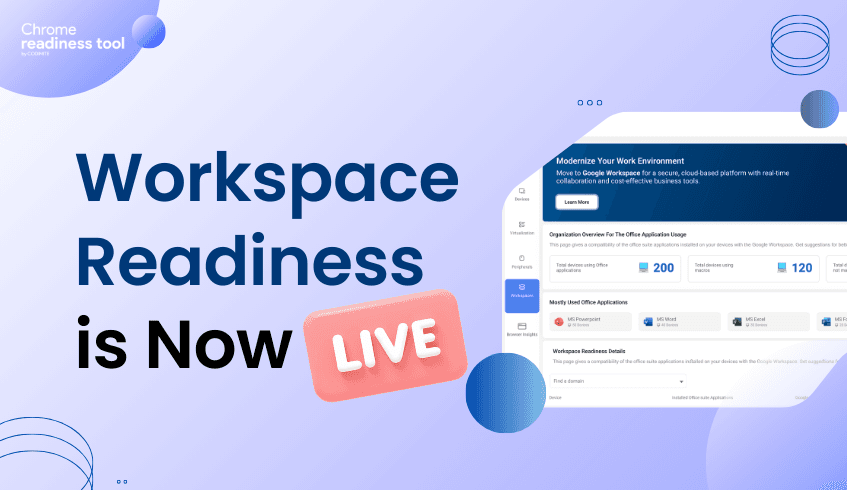
Workspace Readiness is Now Live in the Chrome Readiness Tool
We are excited to announce that Workspace Readiness – Desktop version is now live in the Chrome Readiness Tool. This feature provides IT administrators with clear, data-driven visibility into how desktop installed office productivity applications are used across their organization.(Currently supported for Microsoft Office 365 and WPS only) Instead of relying on assumptions when planning cloud transitions, teams can now evaluate real usage data to determine readiness for Google Workspace.
As organizations continue adopting cloud-first strategies, reducing reliance on legacy desktop productivity software becomes an important step. However, moving away from established tools such as Microsoft Office requires careful planning. IT teams must understand application usage, technical dependencies, and potential compatibility issues before making the transition. Workspace Readiness – Desktop addresses this challenge by analyzing real-world application usage and highlighting where migration can proceed smoothly and where additional preparation may be required.
Organizational Visibility
The feature begins with a high-level overview of desktop office suite applications usage across the organization. This allows administrators to understand the overall scale of dependency on legacy tools before initiating migration planning.
Key insights available at the organizational level include:
Office application usage overview Displays the total number of devices currently running office applications across the organization.
Macro dependency tracking Shows how many devices use macros and how many do not, helping teams quickly identify potential technical complexity.
Top application identification Highlights the five most widely used office applications, allowing compatibility planning to focus on the most important tools.
Device and Application Insights
Beyond high-level metrics, Workspace Readiness – Desktop provides deeper device-level insights. These details help IT teams identify specific risks, understand application behavior, and uncover opportunities to optimize software usage.
The device-level view includes:
Installed versus used application analysis A visual comparison shows how many applications are installed versus how many are actively used, helping teams understand actual software requirements.
Unused application detection Applications that are not used at all by the user are automatically listed, allowing administrators to identify redundant software that may be removed.
Active usage metrics For applications that are actively used, the system shows total usage time in hours to help prioritize tools that employees rely on most.
Technical Guardrails for Migration
Cloud transitions can sometimes stall due to technical limitations. Workspace Readiness – Desktop helps prevent this by identifying potential blockers early in the planning process.
The platform highlights several technical factors that may affect migration:
Macro usage detection Flags applications that use on macros, helping IT teams identify workflows that may require remediation.
Limitation indicators Displays potential compatibility file issues that could impact a migration to Google Workspace.
Mapping to Google Workspace
To simplify migration planning, the feature also maps legacy desktop applications to their Google Workspace equivalents.
Google Workspace suggestions Detected desktop applications are mapped directly to their corresponding Workspace tools, such as Microsoft Word, mapped to Google Docs.
Migration decision support These mappings help administrators quickly determine which users and applications are ready for transition.
Enabling Confident Cloud Transitions
With Workspace Readiness – Desktop version now available in the Chrome Readiness Tool, organizations can replace assumptions with real usage insights. By combining organizational visibility, device-level analysis, and clear technical indicators, IT teams can reduce migration risks, optimize software environments, and move toward Google Workspace with greater confidence.




