
Explore key tools, smart features, and expert insights...
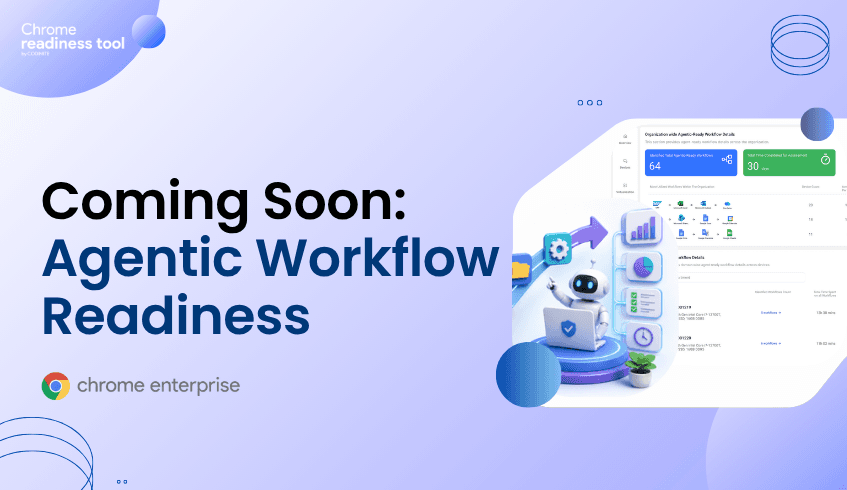
Enterprise teams know repetitive work is slowing them down, but most organizations do not know which workflows should be automated first. Manual processes often span email, spreadsheets, documents, calendars, SaaS tools, and internal applications, making them hard to measure and even harder to prioritize. Agentic Workflow Readiness in Chrome Readiness Assessment helps close that gap by surfacing repetitive, multi-step workflows and identifying where AI-driven automation can create the most business value. It helps teams move from guessing about automation opportunities to planning with real usage insight.
The problem is not a lack of automation tools. The problem is knowing where to apply them.
Most enterprises already have teams experimenting with AI agents, workflow automation, scripts, and no-code tools. But without visibility into how work actually happens across devices and applications, automation becomes fragmented. One team may automate a task that saves minutes, while a larger, more repetitive process remains untouched.
This creates several business pain points:
Manual workflows continue to consume employee time.
Operations teams struggle to identify high-impact automation opportunities.
IT teams lack a clear view of which applications are involved in recurring workflows.
Business leaders cannot easily estimate where automation will reduce cost or improve efficiency.
Automation decisions are often based on assumptions instead of real usage patterns.
As organizations move toward agentic AI, this visibility gap becomes more important. AI agents can automate complex work, but only when the organization understands which workflows are repeatable, frequent, and technically feasible to automate.
Chrome Readiness Assessment helps organizations move from uncertainty to visibility.
Before teams invest in AI agents or automation platforms, they need to understand how work is actually happening across the enterprise. Which workflows are repeated every day? Which ones consume the most time? Which applications are involved? Which processes are good candidates for automation?
The Agentic Workflow Readiness feature expands the value of Chrome Readiness Assessment by giving IT and business leaders a clearer view of repetitive, multi-step workflows across devices and applications.
Instead of relying on manual interviews, assumptions, or scattered process documentation, CRA helps surface workflow patterns from real application usage. It identifies recurring sequences across desktop and browser-based activity, highlights time spent on those workflows, and shows which workflows may be ready for automation.
This makes CRA a practical starting point for agentic AI adoption.
With CRA, organizations can:
Discover repetitive workflows across users and devices.
Understand where employees spend time on manual processes.
Identify high-impact workflows based on frequency and time spent.
See whether workflows are better suited for Google Workspace Studio, n8n, or both.
Prioritize automation opportunities before committing implementation resources.
The key benefit is clarity. CRA does not automate workflows directly. It helps organizations understand where automation can deliver value, which workflows are feasible, and which automation path may be most appropriate.
That turns Chrome Readiness Assessment from a readiness tool into a strategic automation planning layer. It helps leaders answer the question that often blocks AI adoption: Where should we automate first?
Agentic Workflow Readiness does not automate workflows directly. It helps organizations identify and plan the right automation path.
For workflows centered around Google Workspace applications such as Gmail, Drive, Calendar, and related Workspace activity, Google Workspace Studio is positioned as a natural automation path. Google describes Workspace Studio as a way to automate work with Gemini-powered workflows and create AI agents for Workspace processes.
For workflows that span multiple applications, SaaS platforms, or integration-heavy environments, n8n can support broader workflow automation. n8n describes itself as a workflow automation platform that combines AI capabilities with business process automation and supports a large ecosystem of integrations.
This distinction helps teams avoid a common automation mistake: choosing a tool first and searching for use cases later. Agentic Workflow Readiness reverses that approach. It starts with real workflow behavior, then helps map the workflow to a suitable automation option.
AI agents are powerful, but they need the right operating context.
Without workflow visibility, organizations may automate isolated tasks while missing the bigger process. They may also underestimate integration complexity, duplicate automation work across teams, or invest in automations that do not address meaningful business pain.
Agentic Workflow Readiness helps create that missing context. It gives decision-makers a clearer understanding of how work moves across applications and where repeatable patterns exist.
This is especially useful for:
IT leaders evaluating where agentic automation should begin.
Operations teams looking to reduce repetitive manual effort.
Business leaders seeking cost optimization opportunities.
Transformation teams building an AI automation roadmap.
Security and governance stakeholders who need visibility before automation expands.
The result is a more disciplined path to agentic AI adoption. Teams can identify what is ready, understand which workflows are worth prioritizing, and choose automation technologies with greater confidence.
Operational cost is not only about software spend. It is also about the time employees spend repeating the same multi-step processes every day.
When repetitive workflows remain manual, organizations absorb hidden costs through slower execution, duplicated effort, avoidable handoffs, and inconsistent process quality. These costs are difficult to manage when leaders cannot see where the time is going.
Agentic Workflow Readiness helps make those costs visible by showing where repetitive workflows exist and how much time they consume. That visibility allows teams to prioritize automation where it can reduce manual effort and improve process efficiency.
The business impact is practical:
Employees spend less time on repetitive coordination.
Teams can focus automation resources on high-value workflows.
Leaders gain a clearer view of where manual work is creating drag.
IT can plan automation adoption with better evidence.
Organizations can move toward agent-driven operations without relying on guesswork.
Traditional workflow audits are often manual, slow, and incomplete. They rely on interviews, surveys, workshops, or process documentation that may not reflect how work actually happens.
Agentic Workflow Readiness is designed to support a more usage-informed approach. It analyzes workflow patterns across desktop and browser-based activity, including web application usage, to identify repeatable sequences and automation opportunities.
That makes it more practical for modern enterprises, where workflows often span local applications, browser-based SaaS tools, and Google Workspace applications.
Instead of asking, “What do teams say they do every day?” organizations can begin asking, “Which workflows are repeatedly happening across our environment, and which ones are ready for automation?”
Organizations should view Agentic Workflow Readiness as a planning and visibility capability for automation strategy.
It is not a tool for automatically deploying agents. It is not real-time orchestration. It does not create custom workflows on behalf of users. Its role is to help administrators and decision-makers identify automation-ready workflows and understand where tools like Google Workspace Studio or n8n may fit.
That makes it especially valuable at the beginning of an automation journey. Before scaling agentic AI, organizations need to know where automation makes sense. Agentic Workflow Readiness gives them a clearer way to make that decision.
Agentic Workflow Readiness is a Chrome Readiness Assessment feature that helps organizations identify repetitive workflows that may be suitable for AI-driven automation.
No. It helps identify and recommend automation opportunities, but it does not execute, deploy, or orchestrate workflows automatically.
It helps map automation opportunities to Google Workspace Studio for Google ecosystem workflows and n8n for cross-application or integration-heavy workflows.
IT admins, operations leaders, transformation teams, and business decision-makers benefit because the feature helps them prioritize automation based on real workflow patterns.
Agentic AI works best when organizations know which workflows are repetitive, valuable, and feasible to automate. Agentic Workflow Readiness helps provide that foundation.
Manual work is often hidden inside everyday application usage. Agentic Workflow Readiness helps bring that work into view, so organizations can identify high-impact automation opportunities before investing time and resources into AI agents.
Start by using Chrome Readiness Assessment to understand where repetitive workflows exist across your environment. Then use those insights to prioritize the workflows best suited for Google Workspace Studio, n8n, or future agentic automation initiatives.
Browser extensions can improve productivity, but their permissions can also create enterprise security risk. Extensions may request access to webpages, browsing activity, data, or browser functionality that security teams do not fully understand.
In an enterprise environment, extension risk is not just about whether an extension is installed. It is about what the extension can access, where it came from, and which devices are affected.
Browser Insights helps surface extension visibility, Chrome Enterprise Premium supports stronger browser protection, and CEP Accelerator helps teams prioritize extension-related risk.
Extension permissions matter because they define what an extension can do inside the browser.
Some extensions need limited access to function properly. Others may request broader permissions, such as the ability to read or modify site data, interact with webpages, or access browsing context. Google’s Chrome Enterprise guidance explains that admins can manage extensions based on the information an extension can access, also known as Chrome app and extension permissions.
In a consumer setting, this may be an individual privacy concern. In an enterprise setting, it becomes a security issue because users access sensitive systems through the browser.
Employees use the browser to reach SaaS applications, internal dashboards, finance platforms, customer systems, developer tools, and AI applications. If an extension has broad permissions inside that browser, it may increase exposure to sensitive application data, session context, or user activity.
That does not mean every extension with broad permissions is malicious. It means security teams need a clear way to understand what extensions can access and whether that access is appropriate for the enterprise environment.
Extension risk is hard to manage because extensions are often installed for legitimate reasons.
Employees may install productivity tools, meeting helpers, password utilities, AI assistants, shopping tools, PDF tools, or developer extensions. Some may come from trusted stores. Others may be installed through developer mode or less controlled sources.
The challenge is that security teams may not have a complete view of:
Which extensions are installed
Which browsers they are installed on
Which devices are affected
What permissions the extensions request
Whether the extensions are verified
Whether installation sources align with company policy
Without that visibility, extension governance becomes reactive.
Google’s official guide for Managing Extensions in Your Enterprise recommends evaluating extensions based on the permissions they request and managing them through enterprise controls. That is the right foundation, but teams still need visibility into what is already installed across the fleet before they can prioritize action.
Traditional endpoint tools may show installed applications or malware alerts, but browser extensions operate inside the browser environment.
An extension may not look like a traditional executable. It may not generate a high-confidence malware alert. It may simply sit inside the browser with access that is broader than the organization would normally allow.
This creates a browser-layer blind spot.
Security teams need extension-specific visibility because extension risk depends on browser context, permissions, installation source, and device-level exposure. A browser extension installed on one low-risk device may be a minor issue. The same extension installed across many devices with broad permissions may become a meaningful enterprise risk.
That is why extension security should not be treated as a one-time approval process. It needs ongoing inventory, review, policy, and governance.
Chrome Enterprise provides enterprise controls for managing browser extensions, including the ability to allow, block, or configure extension installation on managed Chrome browsers and ChromeOS devices.
Admins can allow or block apps and extensions, manage extension policies, and apply controls across users, browsers, or organizational units. Google also documents ways to set Chrome app and extension policies, including preventing users from running extensions that request permissions the organization does not allow.
This is important because extension security is not only about blocking known malicious extensions. It is also about reducing unnecessary permission exposure and ensuring that only approved extensions are used in enterprise browser environments.
A mature extension strategy should include visibility, review, policy, and ongoing governance. The goal is not to block every extension. The goal is to understand which extensions are necessary, which permissions are acceptable, and which devices may need attention.
Chrome Enterprise Premium helps organizations strengthen security where extensions operate: inside the browser.
Google describes Chrome Enterprise Premium as a secure enterprise browsing solution that helps protect corporate data in the browser. Google Cloud documentation also describes Chrome Enterprise Premium as enhancing Chrome’s built-in enterprise security with capabilities such as configurable data loss prevention, threat protection, and secure enterprise browsing controls through its Chrome Enterprise Premium overview.
For extension-related risk, this matters because risky extensions may contribute to unsafe browsing, data exposure, or session risk. Browser-level controls help organizations reduce exposure closer to the point where web activity and application access occur.
Chrome Enterprise Premium should be viewed as part of a broader browser security strategy that includes extension inventory, governance, and enforcement. It helps security teams bring protection closer to the browser session, where users interact with enterprise applications and sensitive data every day.
Browser Insights helps security teams understand extension exposure across enterprise devices.
It can surface installed extensions, extension metadata, permissions, installation source, installed browsers, and security or permission insights. It also helps identify unverified extensions and shows where they appear across the fleet.
This gives teams a practical way to answer high-value questions:
Which extensions are installed most often?
Which devices have unverified extensions?
Which extensions request sensitive permissions?
Which browsers are affected?
Which devices require investigation?
This turns extension visibility into a security workflow.
Instead of relying on individual user reports or manual browser checks, security teams can assess extension exposure across the environment and focus attention on the devices, browsers, and extensions that create the highest risk.
CEP Accelerator helps teams prioritize extension-related risk.
It does not enforce extension policies or detect extension attacks directly. Instead, it maps observed extension risks in Browser Insights to relevant Chrome Enterprise Premium capabilities.
For extension permissions, CEP Accelerator can help security teams understand which extension findings should drive CEP planning and which devices may need attention first.
This is especially useful when organizations have many installed extensions across many devices. Not every extension issue carries the same level of risk. CEP Accelerator helps teams focus on the exposures most relevant to browser security posture.
For example, a device with unverified extensions, broad permissions, and risky browsing activity may deserve more urgent review than a device with only low-risk approved extensions. CEP Accelerator helps turn browser visibility into a prioritized plan for reducing exposure.
Extension permissions define what an extension can access or modify inside the browser. Broad permissions may increase exposure to sensitive data, browsing activity, or enterprise application context.
No. Unverified does not automatically mean malicious. But unverified extensions can represent increased risk and should be reviewed by security or IT teams.
Teams should review the extension’s purpose, permissions, installation source, update behavior, affected users, and whether it aligns with company policy. Google’s enterprise guidance for managing extensions is a useful starting point for building that review process.
No. Browser Insights provides visibility into extension risk. Enforcement and policy actions should be handled through appropriate browser management and security controls.
CEP Accelerator helps map observed extension risks to relevant Chrome Enterprise Premium capabilities so teams can prioritize their browser security strategy.
Extension permissions are easy to underestimate because extensions often look like small productivity tools. But inside the enterprise browser, they can create meaningful exposure.
Use Browser Insights to identify unverified extensions, permissions, installation sources, and affected devices. Then use CEP Accelerator to prioritize the Chrome Enterprise Premium controls that can help reduce browser-layer risk.
Browser inventory is no longer just an IT operations task. It is now a security requirement. Enterprises need to know which browsers are installed, which versions are running, which extensions are present, and which devices are accessing risky domains. Browser Insights provides device-level browser visibility, Chrome Enterprise Premium helps enforce stronger browser security, and CEP Accelerator helps prioritize action based on observed risk.
Browser inventory matters because the browser has become the front door to enterprise applications and data.
Users access email, identity systems, SaaS platforms, finance applications, customer records, developer tools, and AI services through the browser. If security teams do not know which browsers are in use or how they are configured, they cannot fully understand enterprise exposure.
An incomplete browser inventory creates basic but serious questions:
Which devices are running outdated browsers?
Which users have unverified extensions installed?
Which browsers are accessing restricted domains?
Which devices have the highest browser-level risk?
Without answers, browser security becomes guesswork.
A useful browser inventory should go beyond browser name.
Security teams need browser data that helps them assess risk. That includes browser version, installed extensions, extension metadata, domain access, and device-level security status.
At minimum, browser inventory should help answer:
What browsers are installed across the fleet?
What versions are running?
Which extensions are installed?
Which extensions are unverified?
Which devices are accessing unsafe domains?
Which devices are considered secure or not secure?
Which devices require investigation?
This turns inventory into security intelligence.
Most enterprises do not have a single-browser environment.
Users may run Chrome, Edge, Firefox, Brave, Opera, Vivaldi, or other browsers depending on role, device, preference, or legacy application requirements. Browser diversity is not automatically bad, but unmanaged diversity can create visibility gaps.
A security team may have strong controls for one browser while lacking visibility into others. That gap can make it difficult to understand where outdated versions, unverified extensions, or unsafe browsing activity exist.
Browser inventory helps normalize that view across the fleet.
Chrome Enterprise Premium is not simply about knowing what browsers exist. It is about applying stronger controls where browser-based work and risk happen.
Google describes Chrome Enterprise Premium as enhancing Chrome’s enterprise security with secure enterprise browsing capabilities, including threat and data protection and access controls.
Inventory gives teams the starting point. Chrome Enterprise Premium gives them browser-level controls to reduce exposure once risk is identified.
That combination is important. Without inventory, teams may not know where controls are needed most. Without enforcement, inventory alone cannot reduce risk.
Browser Insights helps organizations build practical browser inventory across the enterprise fleet.
It surfaces browser and extension details at the device level, including browser name, browser version, and installed extensions. It also highlights security-related signals such as session theft vulnerability, unverified extensions, and risky domain access.
This matters because browser inventory becomes actionable only when it connects to risk.
For example, knowing that a device has Chrome installed is useful. Knowing that the device has an outdated browser version, unverified extensions, and restricted domain access is much more useful.
CEP Accelerator helps convert browser inventory into a prioritized security plan.
It works inside Browser Insights as a planning and visibility layer. It does not deploy Chrome Enterprise Premium automatically, enforce browser policies, or remediate issues directly.
Instead, CEP Accelerator maps observed risks to relevant Chrome Enterprise Premium capabilities. This helps teams understand where CEP can reduce exposure and which devices or risk categories should be prioritized first.
For browser inventory, this means teams can move beyond a static list of browsers and toward a risk-informed deployment plan.
Browser inventory is the process of identifying browsers, versions, extensions, and related browser activity across enterprise devices.
Browser inventory helps security teams identify outdated browsers, risky extensions, unsafe domain access, and device-level exposure.
No. Enterprises often use multiple browsers. Browser inventory is most valuable when it provides visibility across the broader browser fleet.
No. Browser Insights provides browser and extension details along with security-related signals such as session theft vulnerability, unverified extensions, and risky domain access.
CEP Accelerator helps map browser risks found in Browser Insights to relevant Chrome Enterprise Premium capabilities so teams can prioritize action.
Browser inventory is now a foundation for enterprise browser security. Start by using Browser Insights to understand which browsers, versions, extensions, and domain risks exist across your fleet, then use CEP Accelerator to prioritize the Chrome Enterprise Premium controls that can help reduce exposure.
Device Bound Session Credentials are designed to reduce the impact of session cookie theft by making stolen session material harder to reuse from another device. This matters because attackers increasingly target authenticated browser sessions after users complete MFA. For enterprises, session protection requires both stronger browser security and better visibility into browser posture. Browser Insights helps identify session-related exposure, Chrome Enterprise Premium strengthens browser-level protection, and CEP Accelerator helps teams prioritize where to act first.
Session protection matters because attackers do not always need a password if they can steal an authenticated session.
In many attacks, the user signs in normally and completes MFA. After that, the browser receives session cookies or tokens that keep the user authenticated. If malware or another attack path steals that session material, an attacker may attempt to reuse it without repeating the original login process.
This is why session theft is so dangerous. It targets the browser after authentication has already succeeded.
Device Bound Session Credentials, or DBSC, are a Chrome security capability designed to make stolen session cookies less useful to attackers.
Google has described DBSC as a way to bind sessions to a device so that stolen cookies cannot simply be replayed from another machine. Google announced that DBSC is entering public availability for Windows users on Chrome 146, with macOS support planned for a future Chrome release.
The idea is straightforward: if a session is tied to the device where it was created, stealing the cookie alone becomes less valuable.
Session theft attacks bypass MFA by targeting the post-authentication session instead of the login process.
MFA protects the moment of authentication. But once a user completes MFA, the browser maintains the session so the user does not have to re-authenticate on every page load.
Attackers may use infostealer malware, malicious extensions, phishing flows, or compromised devices to obtain session cookies or tokens. Once stolen, those tokens may be replayed to access applications as the authenticated user.
This is not a failure of MFA. It is a reminder that authentication and session protection are different layers.
Device Bound Session Credentials are an important step forward, but browser posture still matters.
Enterprises still need to understand which devices are running current browser versions, which browsers are outdated, which extensions are installed, and where risky browsing activity is occurring.
DBSC helps reduce the usefulness of stolen session material. But security teams still need visibility into the conditions that increase session theft exposure, including outdated browsers and risky extensions.
That is where browser-level posture management becomes essential.
Chrome Enterprise Premium helps organizations strengthen security at the browser layer, where authenticated sessions live.
Google positions Chrome Enterprise Premium as a secure enterprise browsing solution that enhances Chrome’s built-in protections with capabilities such as threat protection, data protection, and access controls.
For session protection, this matters because many session theft paths begin with browser activity: phishing pages, unsafe domains, malicious downloads, or risky extensions.
Chrome Enterprise Premium helps organizations apply security closer to the session itself, instead of relying only on controls that operate before authentication or after compromise.
Browser Insights helps security teams see session-related browser exposure across the fleet.
One of the most relevant signals is session theft vulnerability based on browser version. Devices running outdated browser versions can be flagged as not protected, while devices running current versions can be shown as protected.
Browser Insights also surfaces installed extensions and domain access, which are important supporting signals for session risk.
A device with an outdated browser, unverified extensions, and unsafe domain access represents a higher-priority browser security concern than a device with current browser protection and no risky extension or domain activity.
CEP Accelerator helps teams prioritize session protection work.
It does not enforce policies or detect session theft directly. Instead, it maps observed Browser Insights risks to relevant Chrome Enterprise Premium capabilities.
For session protection, CEP Accelerator can help teams connect outdated browser versions, unverified extensions, and risky domain access to the controls that reduce browser-based session exposure.
This helps security teams focus on the devices and risks that matter most.
Device Bound Session Credentials are a Chrome security capability designed to bind sessions to a device, making stolen session cookies harder to reuse from another device.
No. DBSC does not replace MFA. MFA protects authentication, while DBSC helps strengthen the session after authentication.
Attackers steal session cookies because they can represent an already-authenticated browser session. If reused successfully, they may allow access without the user’s password or MFA prompt.
Browser Insights helps identify session theft vulnerability status based on browser version and provides related visibility into extensions and domain access.
No. CEP Accelerator is a planning and visibility layer. It helps map observed browser risks to relevant Chrome Enterprise Premium capabilities.
Enterprise session protection starts with knowing where session exposure exists. Use Browser Insights to identify outdated browsers, risky extensions, and unsafe domain access, then use CEP Accelerator to prioritize Chrome Enterprise Premium controls that help protect browser sessions.
Risky domains remain one of the clearest signals of browser-layer exposure. Non-HTTPS sites, suspicious domains, phishing destinations, and company-restricted domains can create pathways for credential theft, malware delivery, and data exposure. Security teams need visibility into which devices are accessing unsafe domains and how frequently that access occurs. Browser Insights helps surface domain-level risk, Chrome Enterprise Premium supports browser-level protection, and CEP Accelerator helps teams prioritize the right controls.
Risky domains matter because the browser is the first point of contact between users and the open web.
Even with strong endpoint security and identity controls, users may still visit unsafe sites, click phishing links, interact with suspicious pages, or access domains that do not meet company policy. These interactions happen inside the browser, often before other tools have enough context to respond.
Unsafe web access can contribute to several enterprise risks:
Credential phishing
Session theft
Malware delivery
Data leakage
Unauthorized access to restricted services
Exposure through non-HTTPS traffic
The issue is not only that risky domains exist. The issue is that many organizations do not know which devices are accessing them.
A risky domain is any web destination that creates security, privacy, or compliance concern for the organization.
This can include non-HTTPS domains, suspicious domains, phishing-related destinations, and company-restricted sites. In an enterprise environment, a domain may also be considered risky because it violates internal policy, even if it is not universally malicious.
For example, a company may restrict certain file-sharing services, unmanaged AI tools, or unauthorized SaaS applications. If devices continue accessing those domains, security teams need visibility into that behavior.
Many enterprise security tools focus on endpoint alerts, identity events, or network traffic. Those signals are valuable, but they may not provide a clean device-level view of browser domain exposure.
A network tool might show domain traffic. An endpoint tool might show malware activity. An identity tool might show sign-ins. But security teams still need to know:
Which browser accessed the domain?
Which device was involved?
Was the site non-HTTPS?
Was the domain restricted by company policy?
How many devices accessed it?
How much usage time was associated with the domain?
These are browser security posture questions. They require browser-level visibility.
Chrome Enterprise Premium helps organizations apply security controls directly within the browser, where risky web access occurs.
Google’s Chrome Enterprise Premium documentation describes capabilities for defending against real-time phishing and malware, preventing data exfiltration with DLP policies, and enforcing context-aware access to applications from Chrome.
For risky domain exposure, this matters because attackers often rely on malicious or suspicious destinations to host phishing pages, collect credentials, deliver payloads, or receive stolen data.
Browser-level protection helps reduce dependence on controls that only act after the user has already reached a risky destination.
Browser Insights helps security teams identify domain-related exposure across devices.
It can surface accessed domains and classify domain risk signals such as unsecured, suspicious, or company-restricted access. This gives teams visibility into where unsafe browsing behavior is occurring and which devices are involved.
Relevant domain insights include:
Domains accessed by users
Unsecured or suspicious domains
Admin-defined restricted domains
Number of devices accessing the domain
Device-level drill-down for investigation
This makes risky domain visibility more actionable. Instead of only knowing that a domain was accessed somewhere in the environment, teams can identify affected devices and prioritize response.
CEP Accelerator helps connect risky domain findings to relevant Chrome Enterprise Premium capabilities.
For risky domain exposure, CEP Accelerator can help teams prioritize controls related to safer browsing, URL filtering, phishing protection, and browser-level enforcement.
This helps security teams move from “we have risky domain activity” to “these are the devices and controls we should prioritize first.”
Risky domains can be used for phishing, malware delivery, credential theft, session theft, and data exfiltration. Because users access them through the browser, they are a browser-layer security concern.
A restricted domain is a web destination that an organization has defined as unsafe, unauthorized, or not allowed under company policy.
No. But non-HTTPS access can create additional risk because traffic is not protected in the same way as HTTPS traffic. In enterprise environments, it is a useful browser posture signal.
No. Browser Insights provides visibility into risky domain access. Chrome Enterprise Premium provides browser-level controls that can help reduce unsafe web access exposure.
CEP Accelerator maps observed risky domain exposure to relevant Chrome Enterprise Premium capabilities, helping teams prioritize deployment and policy planning.
Risky domains remain a practical signal of browser exposure. Start by using Browser Insights to identify which devices are accessing unsafe or restricted domains, then use CEP Accelerator to prioritize Chrome Enterprise Premium controls that can help reduce web access risk.
Browser security posture management is the practice of understanding and improving the security condition of browsers across an enterprise fleet. It helps security and IT teams identify risky browser versions, unverified extensions, unsafe domain access, and device-level exposure before those issues become incidents. As work increasingly happens through SaaS applications and cloud services, the browser has become a critical security boundary. Browser Insights, Chrome Enterprise Premium, and CEP Accelerator work together by connecting browser visibility, enforcement, and prioritization.
Browser security posture matters because the browser is where modern enterprise work happens.
Employees use browsers to access SaaS platforms, identity portals, finance systems, developer tools, customer data, and AI applications. That means the browser is no longer just a productivity tool. It is an access layer, a data layer, and a security control point.
Traditional security programs often focus on endpoint posture, identity posture, and cloud posture. Those are still important, but they do not always answer browser-specific questions:
Is this device running a protected browser version?
Are unverified extensions installed?
Is the user accessing restricted or non-HTTPS domains?
Which devices have the highest browser-layer exposure?
Browser security posture management helps answer those questions in a structured way.
Browser security posture management is the process of continuously assessing browser-related risk across users, devices, extensions, versions, and web activity.
At a practical level, it gives security teams visibility into the conditions that increase browser exposure. These conditions may include outdated browser versions, unverified extensions, unsafe domain access, and weak browser configuration.
The goal is not simply to collect browser inventory. The goal is to understand which browser conditions create risk, which devices are affected, and which actions should be prioritized first.
Many enterprise tools were built around endpoints, networks, and identities. They may show whether a device is managed, whether a user completed MFA, or whether malware was detected.
But browser risk often lives in smaller details.
A browser may be outdated. An extension may have broad permissions. A device may be accessing non-HTTPS domains. A user may be operating in a browser environment that creates unnecessary session exposure.
These signals are easy to miss when browser data is scattered across devices or buried inside endpoint telemetry.
That is why browser security posture needs its own visibility layer.
Chrome Enterprise Premium helps organizations place security controls closer to the point where browser-based work actually takes place.
It is a secure enterprise browsing solution that builds on Chrome’s native security foundation with capabilities for threat protection, data protection, and access control across web applications.
For browser posture management, this is important because visibility is only the first step. Once security teams identify browser risks, they need browser-level controls that can help limit exposure.
Chrome Enterprise Premium supports a stronger browser posture by helping organizations protect web access, reduce phishing and malware risk, manage data movement, and apply access controls to enterprise applications.
Browser Insights in the Chrome Readiness Tool, gives security teams a device-level view of browser-related risk.
It surfaces browser and extension details across the enterprise fleet, including browser name, browser version, installed extensions, and browser-level risk indicators. For posture management, this gives teams a practical way to see where exposure is concentrated.
Relevant posture signals include:
Browser version and session theft vulnerability status
Installed extensions and extension verification status
Access to unsecured, suspicious, or restricted domains
Device-level security classification
Drill-down views for investigating exposed devices
Together, these signals help security teams build a clearer view of browser posture across the organization.
CEP Accelerator helps teams turn browser posture visibility into a more focused action plan.
It functions as a planning and visibility layer inside Browser Insights. It connects observed browser risks to relevant Chrome Enterprise Premium capabilities.
For browser security posture management, this prioritization matters. Not every finding carries the same urgency. A device with unverified extensions and risky domain access may need attention sooner than a device with lower exposure.
CEP Accelerator helps security teams identify which browser risks should be addressed first and where Chrome Enterprise Premium controls can provide the most relevant protection.
Browser security posture management starts with visibility. Use Browser Insights to identify risky browser versions, unverified extensions, and unsafe domain access across your fleet, then use CEP Accelerator to prioritize the Chrome Enterprise Premium controls that can help reduce exposure.
Cloud-synced credentials make work easier, but they also change the enterprise browser attack surface. Passwords, passkeys, session state, and browser data can follow users across devices, which means security teams need to understand not only who authenticated, but where browser access is happening and whether the device is trusted. Chrome Enterprise Premium helps apply browser-level security and context-aware access controls, while Browser Insights and CEP Accelerator help teams identify and prioritize browser risks across the fleet.
Cloud-synced credentials become risky when they extend access beyond the devices and browser environments security teams can see.
Credential sync is designed for convenience. Users expect passwords, passkeys, bookmarks, and browser state to be available wherever they work. In a managed environment, this can improve productivity. In a poorly governed environment, it can create exposure.
The issue is not that sync is inherently unsafe. The issue is that synced credentials expand the number of places where access may be attempted, resumed, or abused.
A compromised browser profile, risky extension, outdated browser, or unmanaged device can become part of the credential attack surface. Attackers do not always need to steal a password directly. They may target session tokens, browser-held credentials, or the conditions that allow a trusted session to continue.
They make the browser profile part of the identity perimeter.
Historically, security teams focused on passwords, MFA prompts, and login events. Today, access is more continuous. A user signs in once, the browser maintains session state, and credentials or passkeys may be available across devices depending on the user and platform configuration.
Passkeys are a major security improvement because they are phishing-resistant and bound to the website or app that created them. Google also notes that passkeys can be synchronized across devices that are part of the same ecosystem.
That creates a more secure authentication model, but it does not remove the need for browser governance. If a synced credential enables access from a device with poor posture, risky extensions, or an outdated browser, the enterprise still has a browser-layer risk to manage.
The question is no longer only, “Was the login legitimate?”
The better question is, “Is this browser session happening in the right context, on the right device, with the right controls?”
Cloud-synced credential risk usually appears through ordinary browser conditions.
Common exposure points include:
Outdated browsers that may not include current session protection.
Unverified extensions that can increase exposure inside the browser environment.
Restricted, suspicious, or non-HTTPS domains accessed from enterprise devices.
Multiple browsers across the fleet with inconsistent security posture.
Devices where security teams lack clear browser-level visibility.
Long-lived sessions that continue after the original authentication event.
These risks are easy to underestimate because they do not always look like a traditional breach. A user may simply open a browser, access a synced account, and continue working. But if that browser environment is unsafe, the synced credential becomes part of the attack path.
Identity controls are essential, but they do not always see the full browser context.
MFA and passkeys help ensure that users authenticate securely. But after authentication, the browser becomes the workspace. It stores session state, interacts with SaaS apps, renders external content, and allows extensions to run inside the user’s workflow.
An identity provider may know that a user authenticated. It may not always know whether the browser version is current, whether the device has unverified extensions, or whether the session is interacting with unsafe domains.
That is the browser-layer gap attackers look for.
Cloud-synced credentials make that gap more important because access can move across devices and sessions. The stronger the identity layer becomes, the more attackers shift toward stealing or abusing the session after authentication.
Chrome Enterprise Premium helps organizations secure access at the browser layer, where cloud-synced credential risk often appears.
Google describes Chrome Enterprise Premium as a secure enterprise browsing solution that provides advanced security directly within the browser, including centralized management, threat and data protection, and Zero Trust access controls. CEP can support context-aware access decisions that use identity and request context, including device-related attributes.
This matters for cloud-synced credentials because the right access decision should include more than the user account. It should consider whether the request is coming from a trusted device, whether security posture is acceptable, and whether browser-level controls are in place.
Endpoint Verification strengthens this model by collecting device attributes that can be used for access control decisions. These attributes can include device identity, OS information, Chrome browser attributes, and configurable device attributes.
With CEP, organizations can better align credential use with trusted browser and device conditions.
Browser Insights, the Chrome Readiness Tool, helps security teams identify browser conditions that increase cloud-synced credential risk.
The tool surfaces browser and extension details across Chrome, Edge, Firefox, Vivaldi, Brave, and Opera. This includes browser name, browser version, and installed extensions.
For credential and session risk, the most relevant signal is session theft vulnerability based on browser version. Outdated browsers are flagged as not protected, while current versions are confirmed as protected.
Browser Insights also surfaces unverified extensions and accessed domains, including restricted or non-HTTPS domains. These signals help security teams understand where the browser environment may be increasing the risk of credential or session abuse.
Device-level drill-down makes the visibility practical. Instead of seeing browser risk only at a high level, security teams can identify specific machines where outdated browsers, unverified extensions, or risky domain access appear.
A device is considered secure when it has no unverified extensions and no access to restricted or non-HTTPS domains.
CEP Accelerator helps translate browser visibility into a prioritized Chrome Enterprise Premium deployment plan.
It does not enforce policies, detect attacks, or remediate devices directly. It acts as a planning and visibility layer inside Browser Insights, mapping observed risks to relevant CEP capabilities.
For cloud-synced credential risk, this means security teams can connect findings such as outdated browsers, unverified extensions, and unsafe domain access to CEP controls that help reduce browser-based session theft, unsafe access, and data exposure.
This is useful because credential risk is not evenly distributed. Some devices may be current and low-risk. Others may combine multiple exposure signals. CEP Accelerator helps teams decide where to focus first.
Cloud-synced credentials are not just an identity issue. They are a browser security issue. Start with Browser Insights to identify outdated browsers, unverified extensions, and risky domain access across your fleet. Then use CEP Accelerator to prioritize where Chrome Enterprise Premium can strengthen browser and credential protection first.
AI workflows are increasingly happening inside the browser, where employees research, summarize, paste, upload, copy, and move data across SaaS tools and generative AI applications. Legacy DLP tools were not designed for this kind of fast, browser-native, AI-assisted work. They often focus on files, endpoints, email, or network traffic, while missing the context of what users are doing inside authenticated browser sessions. Browser Insights helps security teams identify browser and extension risk across the fleet. Chrome Enterprise Premium brings threat and data protection closer to the browser, while CEP Accelerator helps teams prioritize where to deploy Chrome Enterprise Premium based on observed browser risk.
Enterprise DLP was built for a world where data moved through predictable channels: email attachments, file shares, USB drives, managed endpoints, and sanctioned cloud storage. That world still exists, but it is no longer the whole picture.
Modern employees now work across web applications, SaaS tools, cloud dashboards, developer environments, collaboration platforms, and AI assistants through the browser. They paste customer data into prompts, upload documents for summarization, copy generated output into business systems, and move between sanctioned and unsanctioned tools in the same session.
This creates a new problem for security teams: the browser has become the place where sensitive data is transformed, not just transferred.
A legacy DLP tool may see a file upload or a network request. It may inspect an email attachment. It may block a known sensitive document from leaving a managed endpoint. But browser-based AI workflows are more fluid. Data can be copied from one SaaS application, pasted into an AI tool, summarized, rewritten, exported, and reused somewhere else within minutes.
The risk is not only data exfiltration. It is loss of control over where sensitive data goes, how it is transformed, and whether the organization can see the browser conditions that made the exposure possible.
Browser-based AI workflows are hard for legacy DLP because they happen inside an interactive, authenticated, user-driven environment.
Traditional DLP often looks for sensitive data at known control points. It watches file movement, email flows, endpoint storage, cloud uploads, and network traffic. AI workflows in the browser do not always follow those patterns.
A user may copy sensitive content from a CRM record and paste it into a web-based AI assistant. Another user may upload a spreadsheet to a summarization tool. A developer may paste source code into an AI coding assistant. A finance user may ask an AI application to analyze confidential numbers. In each case, the action may look like normal browser activity unless the control understands the browser context.
Legacy tools can struggle because they may not know:
Is the user copying data from a sensitive web app?
Is the paste destination sanctioned or unsanctioned?
Is the browser current and protected?
Are unverified extensions present in the same browser environment?
Is the destination a restricted, non-HTTPS, or suspicious domain?
Is the data being uploaded, pasted, downloaded, printed, or transformed?
These details matter. AI workflows are not just about where data is stored. They are about how data is used inside the browser.
The gap appears when browser activity looks normal to legacy controls but creates real data exposure.
An employee may use an AI tool to speed up work without realizing that sensitive data is being shared outside approved systems. A browser extension may introduce additional exposure by interacting with page content. An outdated browser may increase session theft risk. A non-HTTPS or restricted domain may create unsafe browsing conditions. A user may access multiple AI services from the same browser profile that also holds authenticated sessions for critical enterprise applications.
Not every exposure is malicious. Many are productivity-driven. But the security outcome can be the same: sensitive data moves into places where the organization has limited visibility and limited control.
Attackers can take advantage of the same blind spot. If a browser session is exposed, or if an unsafe extension has access to page content, the attacker may be closer to the data than a network-based DLP tool can see. If a user is redirected to a risky AI-themed site or phishing page, the activity may appear as ordinary web browsing until the data has already left the protected environment.
This is why browser context is essential. Security teams need to understand not only that data moved, but what browser, device, extension, session, and destination were involved.
Legacy DLP tools are still useful, but they were not designed to govern every action inside a modern browser session.
The first limitation is context. A network or endpoint control may see that data moved, but not always understand the user’s browser posture, the risk level of the destination, or whether the action occurred inside a sensitive web app.
The second limitation is workflow granularity. Browser-based AI work involves copy, paste, upload, download, print, screenshot, prompt entry, and response reuse. A tool that only evaluates files or outbound traffic may miss the smaller interactions that create exposure.
The third limitation is browser diversity. Many enterprises run multiple browsers across managed and unmanaged devices. Without browser-level inventory, it becomes difficult to know where exposure is concentrated.
The fourth limitation is extension risk. Extensions can change what happens inside the browser. They may request broad permissions, interact with page content, or create pathways that are difficult to evaluate through traditional DLP alone.
The result is a visibility and enforcement gap. Sensitive data increasingly moves through the browser, while many DLP programs still focus on control points outside the browser.
Chrome Enterprise Premium helps address this gap by applying security closer to where browser-based AI workflows happen.
Chrome Enterprise Premium is Google Cloud’s secure enterprise browsing solution, providing advanced, integrated security directly within the browser. It delivers centralized management, threat and data protection, and Zero Trust access controls for web applications. Google’s documentation describes Chrome Enterprise Premium as helping defend against real-time phishing and malware, prevent data exfiltration with granular DLP policies, and enforce Context-Aware Access to apps directly in Chrome.
This matters for AI workflows because users interact with AI tools through the browser. Chrome Enterprise Premium extends data loss prevention protections into browser activity, helping organizations control actions such as copying, pasting, downloading, and printing.
Google also describes Chrome Enterprise Premium capabilities including content inspection, data loss prevention, anti-malware, anti-phishing, dynamic URL filtering, and site categorization.
For enterprises, the value is not that browser DLP replaces every existing DLP tool. The value is that it protects the control point legacy DLP often misses: the browser session itself.
Browser-level DLP changes AI security by placing controls where users take action.
Instead of waiting until data leaves through a traditional channel, browser-level controls can help govern copy and paste, uploads, downloads, printing, and access to risky destinations inside the browser workflow. This is especially important when employees use AI tools to summarize documents, generate content, analyze spreadsheets, or transform sensitive information.
Chrome Enterprise Premium can help organizations apply more granular policy around browser activity. For example, a company may want to restrict copying sensitive data from a protected application into an unauthorized AI tool. It may want to reduce access to risky AI-themed domains. It may want better visibility into unsafe downloads or web destinations. It may want to enforce access controls based on user and device context.
This moves security closer to the moment of risk.
That is the key difference between legacy DLP and browser-native protection. Legacy DLP often reacts to data movement after it is packaged, transmitted, or stored. Browser-level protection can help govern the user interaction before the data becomes harder to control.
Browser Insights, the Chrome Readiness Tool, gives security teams device-level visibility into browser and extension risk across the enterprise fleet.
This visibility matters because AI workflow risk is not only about which AI tools employees use. It is also about the browser environment where those tools are accessed.
Browser Insights surfaces browser and extension details including browser name, browser version, and installed extensions across Chrome, Edge, Firefox, Vivaldi, Brave, and Opera. This helps security teams understand browser diversity and identify inconsistent posture across the fleet.
For browser-based AI workflows, the most relevant risk signals include session theft vulnerability based on browser version, unverified extensions, and access to restricted or non-HTTPS domains.
Outdated browsers are flagged as not protected, while current versions are confirmed as protected. Unverified extensions are surfaced because they can increase exposure inside the browsing environment. Restricted or non-HTTPS domains are important because unsafe destinations can become part of risky AI workflows, phishing paths, or data movement patterns.
A device is considered secure within Browser Insights when it has no unverified extensions and no access to restricted or non-HTTPS domains. Device-level drill-down helps teams investigate specific machines where browser risk is elevated.
For AI workflow governance, this is the visibility foundation. Before security teams can apply the right browser-level controls, they need to know which devices and browser conditions create the most exposure.
CEP Accelerator helps teams move from browser visibility to deployment prioritization.
Inside Browser Insights, CEP Accelerator acts as a planning and visibility layer. It does not enforce policies or detect attacks directly. Instead, it maps observed browser risks to relevant Chrome Enterprise Premium capabilities that can help address them.
For browser-based AI workflows, CEP Accelerator can help connect findings such as outdated browser versions, unverified extensions, and risky domain access to Chrome Enterprise Premium controls for stronger session protection, extension governance, secure browsing enforcement, and browser-level data protection.
This helps security teams prioritize action. A device with unverified extensions and access to unsafe domains may represent a higher priority than a device with fewer browser risk signals. A business unit using multiple AI tools through outdated browsers may require faster attention than a lower-risk group.
CEP Accelerator turns browser risk visibility into a practical deployment roadmap. It helps teams decide where Chrome Enterprise Premium can deliver the most value first.
Legacy DLP cannot protect what it cannot see. As AI workflows move deeper into the browser, security teams need browser-level visibility and browser-level enforcement. Start with Browser Insights to identify exposed browsers, unverified extensions, and risky domain access. Then use CEP Accelerator to prioritize where Chrome Enterprise Premium can help close the browser-based AI workflow gap first.
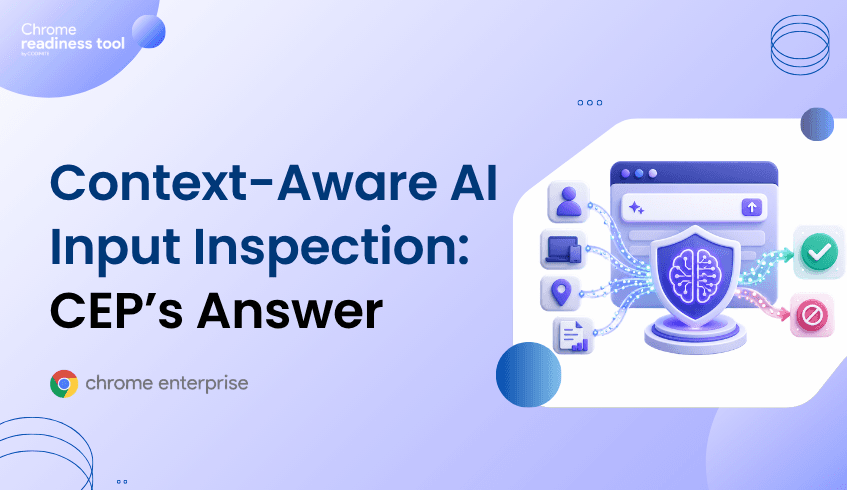
Shadow AI has moved enterprise data risk into the browser. Employees can paste sensitive data into unsanctioned AI tools, access generative AI services from unmanaged devices, or move information through browser sessions that identity controls alone cannot fully govern. Chrome Enterprise Premium helps bring threat protection, data protection, and Zero Trust access controls directly into the browser, while Browser Insights and CEP Accelerator help teams understand where browser-level exposure exists across the fleet.
Shadow AI is a browser security problem because most AI usage begins in the browser.
Employees do not always need to install software to use AI tools. They can open a tab, paste content, upload files, summarize customer records, rewrite code, or generate reports in a web-based AI service. That makes the browser the point where enterprise data, user identity, device posture, and AI input all intersect.
The risk is not simply that employees are using AI. The risk is that security teams may not know which browser sessions are accessing AI tools, which devices are trusted, which users are copying sensitive data, or which extensions are interacting with those workflows.
Traditional identity controls can confirm who signed in. They cannot always answer whether the browser session is safe, whether the device posture is acceptable, or whether sensitive data is being entered into an unsanctioned AI tool.
AI input risk grows when sensitive enterprise data is entered into tools without enough browser-level control.
Common exposure points include:
Employees pasting customer data, source code, contracts, or internal notes into public AI tools.
Users accessing AI services from devices that do not meet enterprise trust requirements.
Browser extensions interacting with AI workflows or page content.
Outdated browsers that may not include the latest protections against session theft.
Restricted, suspicious, or non-HTTPS domains appearing in everyday browsing activity.
Passkeys help strengthen authentication, but authentication is only one part of the AI security problem. Google describes passkeys as phishing-resistant because they are bound to a website or app identity, and Workspace admins can allow users to sign in with passkeys that cover first and second-factor authentication.
But after access is granted, the browser still becomes the workspace where data movement happens. That is where AI input inspection and browser-level policy become critical.
Passkeys reduce credential phishing risk, while endpoint trust helps determine whether access should be allowed from a specific device.
Together, they help enterprises move beyond basic login security. A user may be legitimate, but the request still needs context. Is the device managed? Is the OS patched? Is disk encryption enabled? Is the browser managed? Is the user accessing a sensitive SaaS app or AI service from a risky environment?
Chrome Enterprise Premium supports context-aware access models that can use identity and request context, including device-related signals, to enforce more granular access decisions. Endpoint Verification can collect device attributes and make them available for access control decisions, including characteristics such as OS version, screen lock, firewall, disk encryption, and patch status.
That matters for shadow AI because access decisions should not depend on identity alone. Sensitive AI workflows need browser and device context.
Traditional controls often focus on authentication, endpoint alerts, or network traffic. Shadow AI risk lives between those layers.
A user may authenticate successfully with a passkey. The endpoint may appear healthy. The network request may look like ordinary HTTPS traffic. But the browser session may still be used to paste confidential information into a tool the organization has not approved.
That creates three practical gaps:
First, security teams need to understand where risky browser conditions exist.
Second, they need browser-level enforcement to reduce unsafe data movement.
Third, they need a way to prioritize which devices and users require attention first.
Without those layers, shadow AI becomes a governance problem that is difficult to see and harder to control.
Chrome Enterprise Premium helps organizations bring security closer to where AI usage happens: inside the browser.
Chrome Enterprise Premium is a secure enterprise browsing solution with centralized management, threat and data protection, and Zero Trust access controls for web applications. Its capabilities include configurable data loss prevention, real-time phishing and malware protection, URL filtering, and access controls for SaaS and web-based apps.
For shadow AI, this matters because browser-level controls can help reduce the risk of sensitive information being copied, pasted, uploaded, or entered into unsafe destinations. CEP does not need to treat every AI workflow as malicious. Instead, it gives security teams a control point for deciding which web apps are allowed, which data actions are restricted, and which access requests require stronger device trust.
That is the practical value of context-aware AI input inspection: it combines what the user is doing, where they are doing it, and what device context surrounds the session.
Browser Insights, the Chrome Readiness Tool, gives security teams device-level visibility into browser and extension risk across the enterprise fleet.
For shadow AI security, the most relevant signals include browser name, browser version, installed extensions, session theft vulnerability based on browser version, and accessed domains. The tool supports visibility across Chrome, Edge, Firefox, Vivaldi, Brave, and Opera.
This matters because shadow AI risk is rarely isolated to one browser or one device. An enterprise may have managed Chrome browsers, unmanaged secondary browsers, outdated versions, unverified extensions, and devices accessing restricted or non-HTTPS domains.
Browser Insights helps surface those conditions before they become larger security issues.
Outdated browsers are flagged as not protected for session theft vulnerability, while current versions are confirmed as protected. Unverified extensions are surfaced as a separate risk signal. Devices can also be reviewed through drill-down views, helping teams understand which machines carry elevated browser risk.
A device is considered secure when it has no unverified extensions and no access to restricted or non-HTTPS domains.
CEP Accelerator helps security teams move from visibility to prioritization.
It acts as a planning and visibility layer inside Browser Insights. It does not enforce policies, detect attacks, or perform automated remediation. Instead, it connects observed browser risks to the relevant Chrome Enterprise Premium capabilities that can help address them.
For shadow AI, that means CEP Accelerator can help teams connect findings such as outdated browser versions, unverified extensions, and risky domain access to the CEP controls that reduce exposure around session theft, extension governance, secure browsing, and data movement.
This is important because not every browser issue carries the same urgency. A device with an outdated browser, unverified extensions, and access to restricted AI-related domains should be prioritized differently from a fully current browser with no unverified extensions.
CEP Accelerator helps turn that distinction into a deployment plan.
Shadow AI risk starts in the browser, but it does not have to remain invisible. Use Browser Insights to identify risky browsers, unverified extensions, and unsafe domain access across your fleet. Then use CEP Accelerator to prioritize where Chrome Enterprise Premium can reduce exposure first.